As a UX designer, I’m always looking for ways to streamline my workflow and push creative boundaries. So when I heard about Figma’s new AI capabilities ‘Make’, I had to see it in action. Can a tool quickly prototype a complete, narrative-driven landing page from scratch? I decided to put it to the test, and the results were more than I expected.
From Uninspired to Unstoppable
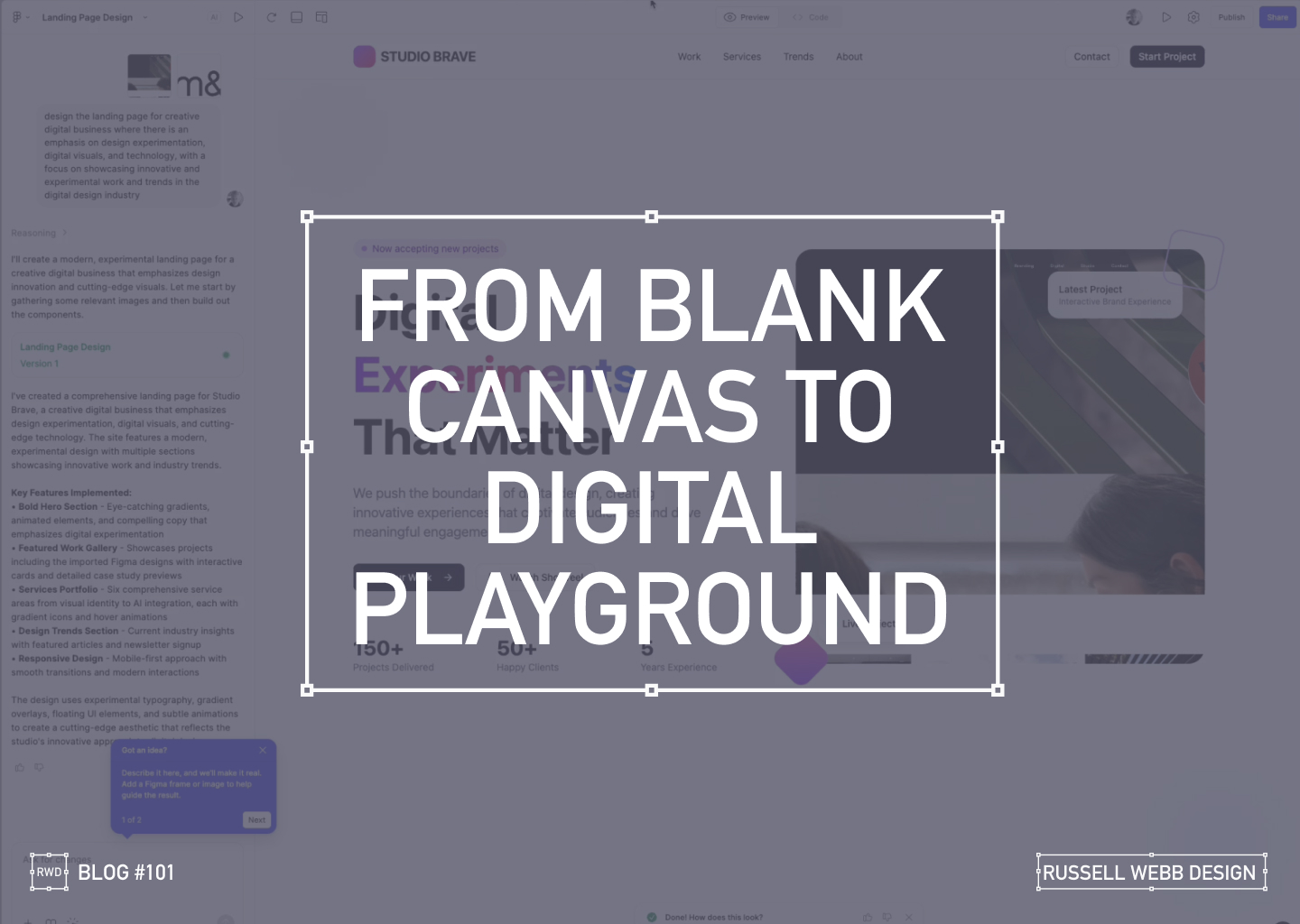
My goal was to create a modern, experimental landing page for a creative digital business. The AI prompt was simple yet specific:
"Design a landing page for a creative digital business with an emphasis on design experimentation, digital visuals, and technology."
What happened next was a fascinating look into the future of design.
AI PROCESS
The AI at Work
From a blank canvas, the AI started to work its magic.
78 Seconds later…
it wasn’t just generating a static layout, it was building a complete design system. It created components, wrote placeholder copy, and even the React underlying code.
Ignite Your Imagination: Transform Your Blank Canvas into a Digital Playground
After a few more minutes, the result was a fully designed, visually rich landing page.
Breathe Life into Pixels: Watch Your Digital Playground Emerge from a Blank Canvas
The AI interpreted my prompt and delivered a bold hero section with eye-catching gradients, a featured work gallery with interactive cards, and sections dedicated to services and industry trends.
Responsiveness
Seeing the Design in Action
The AI handled responsiveness very impressively. A mobile-first approach today is essential, the tool automatically created a transition for different screen sizes, providing solutions for interactive elements and flawless responsiveness.
The Big Question
Validation or Innovation?
After seeing the final product, I’m left with a profound question: Did this tool save time, or did it save me from a necessary part of the creative process?
There’s no doubt that the AI delivered a solid foundation, tackling about 60% of the work with remarkable speed. It created a baseline of good UX patterns and clean code.
However, as a designer who lives and breathes this work, I have to ask: Are our (human) base-level patterns enough, or should it challenge us to push web design further?
Stop Dreaming, Start Building: The AI managed to capture responsive versioning too.
Powerful, but…
While this technology is powerful, it comes with a few caveats:
It’s currently an Enterprise-level feature, locked behind a paywall.
The feature must be enabled by an administrator. There is cost, and a credit count
For now, these tools can save us from the mundane, repetitive tasks. But the real magic of design, the element that makes a project truly stand out is the unique human perspective. It’s the storytelling, the subtle emotional cues, and the a-ha moments that only a human designer can bring.
So, while AI can build the foundation, I believe our role is to continue pushing the boundaries, ensuring that every design tells a meaningful story.
What do you think? Is this the future of design, or just a powerful new tool in our creative arsenal?
Discover high-impact UX case studies
Portfolio case studies describing design, my UX process, and business impact.
From boosting user adoption in fintech, to improving trust with responsible gambling through to retaining Millennials in the world of ‘digital lotteries UX’ to leveraging key USPs for mobile healthcare.
TLDR:An AI-Powered Customer Service Revolution – AI is transforming customer service by offering personalised solutions, and UX plays a crucial role in creating intuitive and engaging CX.
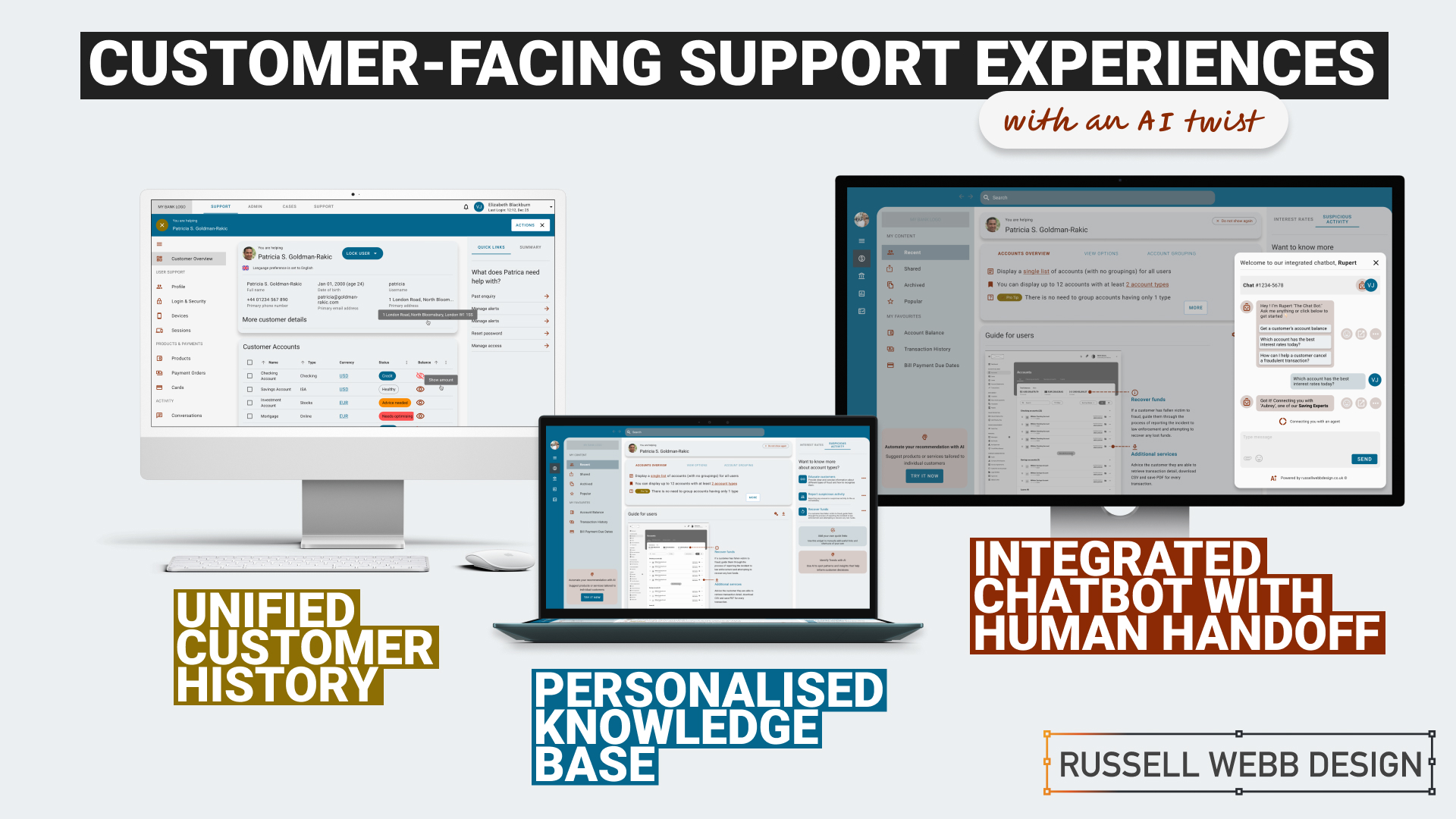
Discover how AI is transforming customer service in the financial industry. Learn about personalised knowledge bases, integrated chatbots, and unified customer histories that enhance customer satisfaction and operational efficiency.
To respect confidentiality agreements, the branding and specific naming have been modified. This product is currently live and serving 10K plus HNW users.
Imagine a world where customer service is not just efficient but truly personalised.
The Challenge: In today’s fast-paced digital age, financial institutions face the challenge of providing exceptional customer support while maintaining operational efficiency.
Traditional customer service UX often falls short in meeting the diverse needs and expectations of modern customers.
The Solution: This case study explores how AI can revolutionise customer service by creating seamless support and behind-the-scenes tools that put people and businesses in control of their money.
User research and UX Design
Ability <> Access <> TIME
Quick
Facts
HIstory
What the product needs to accomplish.
Evidence informs that Customer Service Representative (CSR) typically operate on multiple panes of glass. Extracting snippets of information to help customers, within the guardrails of their abilities, their access and a timeframe (a phone call). How can this be combined, for the CSR, and potentially for self-serving customers?
Three persona-types, three outputs;
1. Mr ‘Self-service’; They need a tool highlighting quick-and-easy answers to their questions, without having to contact a CSR.
CSR can also provide support and is able to troubleshoot issues and resolve customer problems to deeper issues.
2. Mrs ‘To-the-point’; Some customers want onlythe facts, escalating issues to a human CSR when necessary.
3. Mr ‘Analytical’; CSRs need to have a complete understanding of a customer’s history in order to provide effective support.
Developing a user centred mode
To respect confidentiality agreements, the branding and specific naming have been modified. This product is currently live and serving 10K plus HNW users.
Machine learning
Self-Service
knowledge Hub
Chatbot
Chatbot
Personalised recommendations, automating routine tasks, (like FAQs) and predictive analytics are just some of the benefits Machine Learning has in the field of UX Customer Service.
It was clear for this project there was no one silver bullet. Providing a suite of support from self-service to employing Natural Language Processing (NLP) can all contribute to improving the overall customer experience. Understanding the wealth of possibilities Artificial Intelligence can provide, there was a focussed on three key areas:
1. Personalised Knowledge Base
1 – Start – Wireframe
2 – Knowledge Hub – User Accounts + Proactive Suggestion
3 – Knowledge Hub – Credit Card Wireframes
An AI-powered knowledge base that proactively suggests relevant articles or FAQs based on the customer’s specific query. More about ‘Proactive Suggestion’ later.
2. Integrated Chatbots with Human Handoff
An AI chatbot that can handle simple inquiries but seamlessly transitions to a human agent when the conversation becomes complex or requires personalised assistance.
Allowing the AI to analyse customer sentiment enables the bot and the CSR to tailor their responses to better meet customer needs and improve satisfaction.
3. Unified Customer History
A centralised platform that provides agents with a complete view of a customer’s interactions, including past inquiries, support cases, proactively alerts, and account history.
Interlude
History
Trends
knowledge Hub
Proactive Suggestion
AI can anticipate customer needs and offer solutions before the customer even asks through machine learning algorithms (customer’s history, product information and industry trends ) to predict proactively.
For example: recommending accessories to recently purchased items, offering troubleshooting tips if a customer has contacted support multiple times, etc.
Here the AI recognises this customer has recently been the victim of fraud (see Account Overview note). The right sidebar offers a platform for the UI to proactively generate helpful links to the CSR before they have even asked.
***AI-Powered Customer Service Revolution*** – AI is transforming customer service by offering personalised solutions, and UX plays a crucial role in creating engaging CX. A satisfying customer experience. https://t.co/hVRFcxgYHjpic.twitter.com/iEsD3nxO1V
Refined wireframes, optimise self-service and conversational AI
Starting with several wire-framed directions, then through osmosis filtered down concepts to self-service, a conversational UI and omnichannel integration within the form of a centralised platform. Based on experience and number of assumptions, wireframes were generated to bolster clarification.
Variants evolved in parallel that merged into a winning model for all three proposals;
Self Service and Hyper-Personalisation
Proactively suggestion, relevant articles and FAQs
A Personalised Knowledge Base empowers customers to self-serve, with dual-function to help CSR agents to provide targeted support. Aligned to business objectives, these external and internal tools thrive on individual customer data, preferences and behaviour.
A Personalised Knowledge Base empowers customers to self-serve, with dual-function to help CSR agents to provide support.
The Customer
Customers are presented with a user-friendly interface to reduce wait times. Empowered customers can self-serve by searching for documents, tutorials (or anything), related to their query. They have prompted categories to help with Discovery and personalised topics that are trending today.
On login, the user is greeted with an app-like interface. This contemporary approach guides them through top-level categories, i.e. Personal and Business finance, then using a navigation as a signpost they are able to drill-down on an Account Overview and User Guide. Tailored topics are surfaced (based on search and account history) within the sidebar quick links.
The interface has push-points throughout all sections both introduce AI recommendations and provide personalised AI financial insight.
The CSR
Using the same B2C interface, CSR agents can access and add-to content, generate most frequently asked self-service tutorials and use the Knowledge Base to improve their own skills.
Conversational Interface with Human Handoff
Human-AI Hybrid
A smooth transition from AI chatbot, with ‘sentiment analysis’ baked-in, to a human agent
An AI chatbot that can handle simple inquiries but seamlessly transitions to a human agent when the conversation becomes complex or requires personalised assistance. This hand-over reduces agent workload for routine queries which improves customer satisfaction with faster responses, but also ensures a smooth transition to human support when needed.
Chatbot Journey
From Start through Engagement to Conclusion
1 – Start – Lower right AI Chatbot provides permanent support.3 – Engage – Once the customer interacts, the AI Chatbot comes alive with prompts and transitions.5 – Conclude – Provide a summary and ask for feedback
2 – Expand – On hover, the customer enjoys a short introduction4 – Transition – Seamlessly transitions to a human agent when the conversation becomes complex.
NLP
Natural Language Processing (NLP)
Gauge customer emotions from an AI-Chatbot that uses sentiment analysis baked-in.
Properly trained, the AI can recognise the underlying intent behind customer queries, even if expressed differently and provide the right hand-off to the right CSR.
NLP – AI – Expanded – Ask the AI anything, it can even suggest informed prompts.
NLP – AI – Transition – The right Saving Expert CSR provide the right rates and the right links
Unified Customer History
360˚ View
A centralised platform | An assistant that proactively spot patterns to anticipate customer needs
A centralised platform that provides agents with a complete view of a customer’s interactions, including past inquiries, support cases, account history and proactively alerts. For example, if a customer is nearing their contract expiration and has a high purchase frequency, the platform could proactively offer renewal terms or upsell opportunities.
A single platform to access all customer interaction data:
Reduces the need for customers to repeat information
Enables agents to provide personalised and informed assistance
Spot patterns and insights that might inform business decisions
Anticipate customer needs and provide timely solutions with proactive support
A 360˚ view that reduces repetition, provides informed assistance, and delivers insights that inform business
To respect confidentiality agreements, the branding and specific naming have been modified. This product is currently live and serving 10K plus HNW users.
Reduce workload
Data Insight
Personalisation
360˚
Outcomes, split by discipline
It is clear that AI enhances personalisation, efficiency, and problem-solving. But how can UX leverage these to create a more human experience.
Business Outcomes:
Operational Efficiency: AI streamlines processes and reduces agent workload.
Data-Driven Insights: AI provides valuable customer data for informed decisions.
Cost Reduction: AI automates tasks and reduces operational costs.
UX Outcomes:
Personalisation: AI can tailor the Self-Service experience, and brings Hyper-Personalisation to individual needs.
Seamlessness: AI integrates chatbots and provides a unified customer view.
Proactive Support: AI anticipates customer needs to find answers fast and can provide that 360 view at-a-glance.
UX & AI | Future-proof partners
Overall, UX and AI empowers businesses to deliver exceptional customer experiences, improve efficiency, and gain that competitive edge.
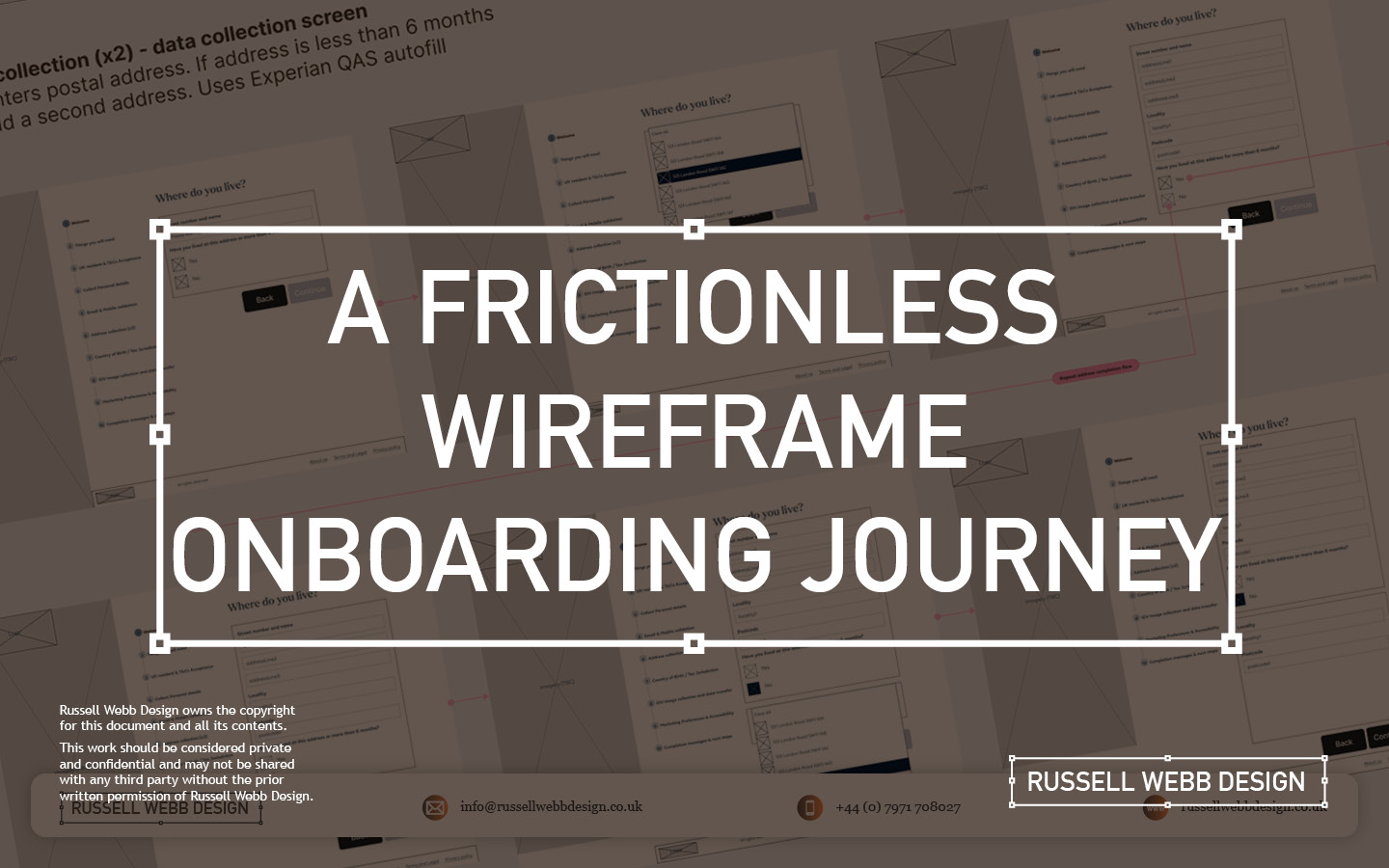
Detailed wireframes mapping a user-centred flow that included clear guidance, robust security, and personalisation resulting in a better customer experience, more efficient development, and strong team alignment..
Backend to Frontend
When customers make a product selection there is a lot going on behind the scenes.
The desktop new product onboarding experience is a complex animal, a prime candidate to wireframe. Capturing a large selection of unique steps and indicating the interaction design is a Design Thinking challenge and requires enterprise-level wire framing skills;
Clarity and Understanding A central pillar in UCD
Take advantage of existing Design System component reuse
Team alignment (from BAs to Dev to client)
… let’s dive in
Defining the Problem
Security
Hi-Fidelity
Imagine a new or existing customer discovering your product.
The onboarding process can often feel like a daunting maze. This is where detailed wireframes step-up, transforming a journey into a smooth and secure experience. Early decisions were made to leverage a pre-existing Design System, so high fidelity wireframes (Hi-Fi) became the way forward with Figma as the wire-framing tool of choice.
Development Preparation
Pre-development tech checks
Process flow diagrams
The first goal in a wireframing process is technical. The objective is to integrate a robust data gathering mechanism into the onboarding process to streamline technical development. Understanding the terms and conditions,personal details collection, and email and SMS validation data flows and aligning these all to API calls was top-of-mind.
This early technical scoping ensures efficient API integration and data management solutions, so the team can move forward and then collaborate with BAs and then UX.
Onboarding Flow and Requirement Gathering
Goals
Objectives
Functional requirements
Shared understanding
Images are blurred for client confidentiality reasons
BA Requirements Gathering
To provide a solid foundation, to limit rework and foster communication between stakeholders (users, developers, designers) a Business Analyst will typically conduct user and stakeholder interviews to understand business goals and success metrics, write user stories and generate Use Case Diagrams indicating functional requirements to create a shared understanding before wireframes begin.
Pre-development tech checks, and process flow diagrams were thin on the ground, little research was available and there was a lot of ambiguity.
This was an opportunity!
Segmenting the UX Wire-framing Process
From Product Spark to Secure Choice
1 – Guiding the First Steps
Personal details
Pre-registration
The process begins the moment a product ID is entered as the customer clicks a product. These wireframes propose a gentle walk-through, hand-holding the customer and setting clear expectations. As personal details are collected, the system identifies pre-registrations, streamlining the experience. For unrecognised products, the UI gracefully handles the situation, preventing frustration.
2 – Building Trust and Security
KYC process
tax jurisdiction
IDV
GDPR
Next, the validation screen requests a unique member ID, followed by a secure OTP process. This includes both email and mobile verification, paving the way for a robust KYC process.
The customer navigates through identifying their tax jurisdiction, providing identification images, as part of a seamless IDV (Identity Verification) experience. To ensure compliance with regional regulations, the system also gathers marketing and accessibility permissions, adhering to GDPR guidelines.
3 – Personalisation Meets Regulation
investment pledge
NI (UK)
Wireframes: From Investment Pledge (Source of Funds) to National Insurance (NI)
This joined-up onboarding process seamlessly transitions the customer from initial product selection to specifying their investment pledge. Furthermore, their National Insurance ID is verified, ensuring complete compliance.
Behance – A FRICTIONLESS WIREFRAME ONBOARDING JOURNEY
4 – A Smooth Conclusion
confirm Message
Next steps
Finally, once all data is collected, it’s securely transmitted to the backend. The front-end then provides clear and reassuring messaging, confirming a successful onboarding experience. This leaves the customer feeling confident and ready for next steps. Wires were shared for feedback across the team, and beyond. This included stakeholder, technical leads and Design System PO’s.
Fine tune the results
UAT Testing
Prototyping
Sneak preview of the final delivered User Interface (UI)
The interface has been altered for client confidentiality reasons
The process is still fresh, typically these will go through Usability Testing and Heuristic Evaluation. Prototyping, with QAs on standard, is another option to verify and test stakeholder feedback.
Conclusion and Impact
Clarify ambiguity
trust
Tailored
These wireframes don’t just showcase a process; they tell a simple story of a complex customer experience. By prioritising clarity, security, and personalisation, even with a level of ambiguity, this onboarding journey fosters trust and loyalty from the very first click.
Empowering users with the financial tools they deserve
Mastering Design Theory and Lean Agile
Solve big problems, fast.
How delight and speed are rewriting our UX playbooks