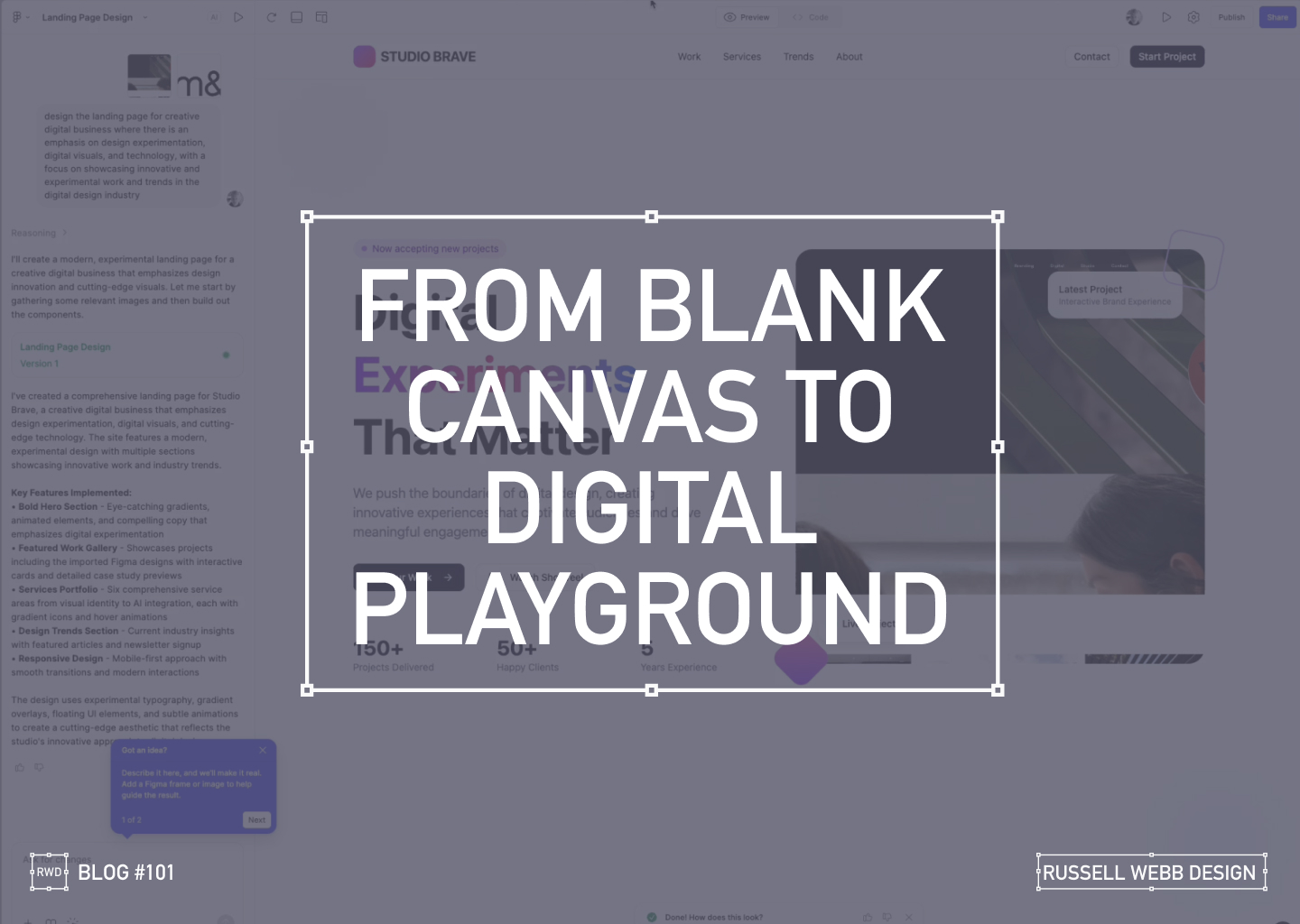
As a UX designer, I’m always looking for ways to streamline my workflow and push creative boundaries. So when I heard about Figma’s new AI capabilities ‘Make’, I had to see it in action. Can a tool quickly prototype a complete, narrative-driven landing page from scratch? I decided to put it to the test, and the results were more than I expected.
From Uninspired to Unstoppable
My goal was to create a modern, experimental landing page for a creative digital business. The AI prompt was simple yet specific:
"Design a landing page for a creative digital business with an emphasis on design experimentation, digital visuals, and technology."
What happened next was a fascinating look into the future of design.
AI PROCESS
The AI at Work
From a blank canvas, the AI started to work its magic.
78 Seconds later…
it wasn’t just generating a static layout, it was building a complete design system. It created components, wrote placeholder copy, and even the React underlying code.
Ignite Your Imagination: Transform Your Blank Canvas into a Digital Playground
After a few more minutes, the result was a fully designed, visually rich landing page.
Breathe Life into Pixels: Watch Your Digital Playground Emerge from a Blank Canvas
The AI interpreted my prompt and delivered a bold hero section with eye-catching gradients, a featured work gallery with interactive cards, and sections dedicated to services and industry trends.
Responsiveness
Seeing the Design in Action
The AI handled responsiveness very impressively. A mobile-first approach today is essential, the tool automatically created a transition for different screen sizes, providing solutions for interactive elements and flawless responsiveness.
The Big Question
Validation or Innovation?
After seeing the final product, I’m left with a profound question: Did this tool save time, or did it save me from a necessary part of the creative process?
There’s no doubt that the AI delivered a solid foundation, tackling about 60% of the work with remarkable speed. It created a baseline of good UX patterns and clean code.
However, as a designer who lives and breathes this work, I have to ask: Are our (human) base-level patterns enough, or should it challenge us to push web design further?
Stop Dreaming, Start Building: The AI managed to capture responsive versioning too.
Powerful, but…
While this technology is powerful, it comes with a few caveats:
It’s currently an Enterprise-level feature, locked behind a paywall.
The feature must be enabled by an administrator. There is cost, and a credit count
For now, these tools can save us from the mundane, repetitive tasks. But the real magic of design, the element that makes a project truly stand out is the unique human perspective. It’s the storytelling, the subtle emotional cues, and the a-ha moments that only a human designer can bring.
So, while AI can build the foundation, I believe our role is to continue pushing the boundaries, ensuring that every design tells a meaningful story.
What do you think? Is this the future of design, or just a powerful new tool in our creative arsenal?
Discover high-impact UX case studies
Portfolio case studies describing design, my UX process, and business impact.
From boosting user adoption in fintech, to improving trust with responsible gambling through to retaining Millennials in the world of ‘digital lotteries UX’ to leveraging key USPs for mobile healthcare.
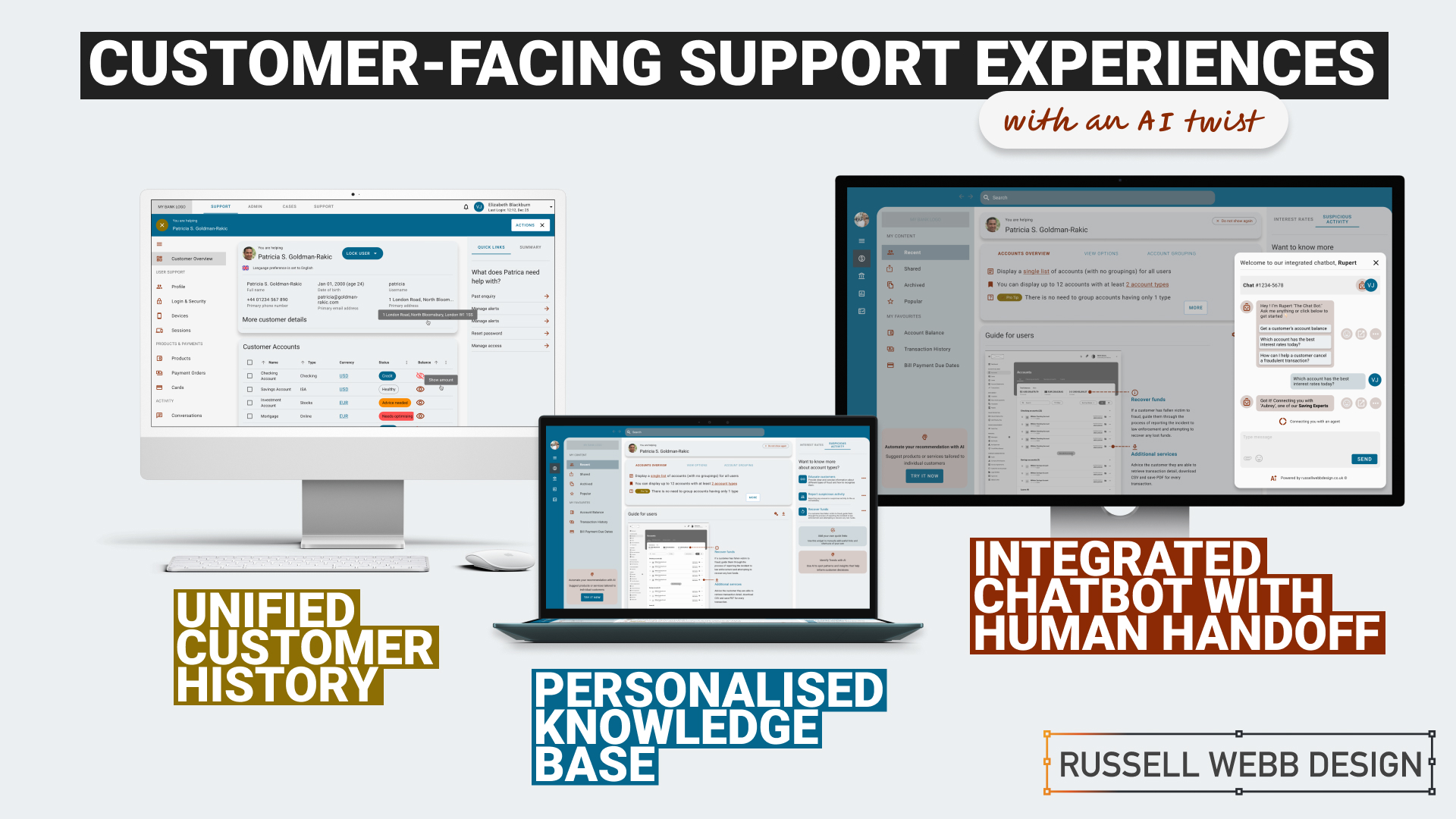
TLDR:An AI-Powered Customer Service Revolution – AI is transforming customer service by offering personalised solutions, and UX plays a crucial role in creating intuitive and engaging CX.
Discover how AI is transforming customer service in the financial industry. Learn about personalised knowledge bases, integrated chatbots, and unified customer histories that enhance customer satisfaction and operational efficiency.
To respect confidentiality agreements, the branding and specific naming have been modified. This product is currently live and serving 10K plus HNW users.
Imagine a world where customer service is not just efficient but truly personalised.
The Challenge: In today’s fast-paced digital age, financial institutions face the challenge of providing exceptional customer support while maintaining operational efficiency.
Traditional customer service UX often falls short in meeting the diverse needs and expectations of modern customers.
The Solution: This case study explores how AI can revolutionise customer service by creating seamless support and behind-the-scenes tools that put people and businesses in control of their money.
User research and UX Design
Ability <> Access <> TIME
Quick
Facts
HIstory
What the product needs to accomplish.
Evidence informs that Customer Service Representative (CSR) typically operate on multiple panes of glass. Extracting snippets of information to help customers, within the guardrails of their abilities, their access and a timeframe (a phone call). How can this be combined, for the CSR, and potentially for self-serving customers?
Three persona-types, three outputs;
1. Mr ‘Self-service’; They need a tool highlighting quick-and-easy answers to their questions, without having to contact a CSR.
CSR can also provide support and is able to troubleshoot issues and resolve customer problems to deeper issues.
2. Mrs ‘To-the-point’; Some customers want onlythe facts, escalating issues to a human CSR when necessary.
3. Mr ‘Analytical’; CSRs need to have a complete understanding of a customer’s history in order to provide effective support.
Developing a user centred mode
To respect confidentiality agreements, the branding and specific naming have been modified. This product is currently live and serving 10K plus HNW users.
Machine learning
Self-Service
knowledge Hub
Chatbot
Chatbot
Personalised recommendations, automating routine tasks, (like FAQs) and predictive analytics are just some of the benefits Machine Learning has in the field of UX Customer Service.
It was clear for this project there was no one silver bullet. Providing a suite of support from self-service to employing Natural Language Processing (NLP) can all contribute to improving the overall customer experience. Understanding the wealth of possibilities Artificial Intelligence can provide, there was a focussed on three key areas:
1. Personalised Knowledge Base
1 – Start – Wireframe
2 – Knowledge Hub – User Accounts + Proactive Suggestion
3 – Knowledge Hub – Credit Card Wireframes
An AI-powered knowledge base that proactively suggests relevant articles or FAQs based on the customer’s specific query. More about ‘Proactive Suggestion’ later.
2. Integrated Chatbots with Human Handoff
An AI chatbot that can handle simple inquiries but seamlessly transitions to a human agent when the conversation becomes complex or requires personalised assistance.
Allowing the AI to analyse customer sentiment enables the bot and the CSR to tailor their responses to better meet customer needs and improve satisfaction.
3. Unified Customer History
A centralised platform that provides agents with a complete view of a customer’s interactions, including past inquiries, support cases, proactively alerts, and account history.
Interlude
History
Trends
knowledge Hub
Proactive Suggestion
AI can anticipate customer needs and offer solutions before the customer even asks through machine learning algorithms (customer’s history, product information and industry trends ) to predict proactively.
For example: recommending accessories to recently purchased items, offering troubleshooting tips if a customer has contacted support multiple times, etc.
Here the AI recognises this customer has recently been the victim of fraud (see Account Overview note). The right sidebar offers a platform for the UI to proactively generate helpful links to the CSR before they have even asked.
***AI-Powered Customer Service Revolution*** – AI is transforming customer service by offering personalised solutions, and UX plays a crucial role in creating engaging CX. A satisfying customer experience. https://t.co/hVRFcxgYHjpic.twitter.com/iEsD3nxO1V
Refined wireframes, optimise self-service and conversational AI
Starting with several wire-framed directions, then through osmosis filtered down concepts to self-service, a conversational UI and omnichannel integration within the form of a centralised platform. Based on experience and number of assumptions, wireframes were generated to bolster clarification.
Variants evolved in parallel that merged into a winning model for all three proposals;
Self Service and Hyper-Personalisation
Proactively suggestion, relevant articles and FAQs
A Personalised Knowledge Base empowers customers to self-serve, with dual-function to help CSR agents to provide targeted support. Aligned to business objectives, these external and internal tools thrive on individual customer data, preferences and behaviour.
A Personalised Knowledge Base empowers customers to self-serve, with dual-function to help CSR agents to provide support.
The Customer
Customers are presented with a user-friendly interface to reduce wait times. Empowered customers can self-serve by searching for documents, tutorials (or anything), related to their query. They have prompted categories to help with Discovery and personalised topics that are trending today.
On login, the user is greeted with an app-like interface. This contemporary approach guides them through top-level categories, i.e. Personal and Business finance, then using a navigation as a signpost they are able to drill-down on an Account Overview and User Guide. Tailored topics are surfaced (based on search and account history) within the sidebar quick links.
The interface has push-points throughout all sections both introduce AI recommendations and provide personalised AI financial insight.
The CSR
Using the same B2C interface, CSR agents can access and add-to content, generate most frequently asked self-service tutorials and use the Knowledge Base to improve their own skills.
Conversational Interface with Human Handoff
Human-AI Hybrid
A smooth transition from AI chatbot, with ‘sentiment analysis’ baked-in, to a human agent
An AI chatbot that can handle simple inquiries but seamlessly transitions to a human agent when the conversation becomes complex or requires personalised assistance. This hand-over reduces agent workload for routine queries which improves customer satisfaction with faster responses, but also ensures a smooth transition to human support when needed.
Chatbot Journey
From Start through Engagement to Conclusion
1 – Start – Lower right AI Chatbot provides permanent support.3 – Engage – Once the customer interacts, the AI Chatbot comes alive with prompts and transitions.5 – Conclude – Provide a summary and ask for feedback
2 – Expand – On hover, the customer enjoys a short introduction4 – Transition – Seamlessly transitions to a human agent when the conversation becomes complex.
NLP
Natural Language Processing (NLP)
Gauge customer emotions from an AI-Chatbot that uses sentiment analysis baked-in.
Properly trained, the AI can recognise the underlying intent behind customer queries, even if expressed differently and provide the right hand-off to the right CSR.
NLP – AI – Expanded – Ask the AI anything, it can even suggest informed prompts.
NLP – AI – Transition – The right Saving Expert CSR provide the right rates and the right links
Unified Customer History
360˚ View
A centralised platform | An assistant that proactively spot patterns to anticipate customer needs
A centralised platform that provides agents with a complete view of a customer’s interactions, including past inquiries, support cases, account history and proactively alerts. For example, if a customer is nearing their contract expiration and has a high purchase frequency, the platform could proactively offer renewal terms or upsell opportunities.
A single platform to access all customer interaction data:
Reduces the need for customers to repeat information
Enables agents to provide personalised and informed assistance
Spot patterns and insights that might inform business decisions
Anticipate customer needs and provide timely solutions with proactive support
A 360˚ view that reduces repetition, provides informed assistance, and delivers insights that inform business
To respect confidentiality agreements, the branding and specific naming have been modified. This product is currently live and serving 10K plus HNW users.
Reduce workload
Data Insight
Personalisation
360˚
Outcomes, split by discipline
It is clear that AI enhances personalisation, efficiency, and problem-solving. But how can UX leverage these to create a more human experience.
Business Outcomes:
Operational Efficiency: AI streamlines processes and reduces agent workload.
Data-Driven Insights: AI provides valuable customer data for informed decisions.
Cost Reduction: AI automates tasks and reduces operational costs.
UX Outcomes:
Personalisation: AI can tailor the Self-Service experience, and brings Hyper-Personalisation to individual needs.
Seamlessness: AI integrates chatbots and provides a unified customer view.
Proactive Support: AI anticipates customer needs to find answers fast and can provide that 360 view at-a-glance.
UX & AI | Future-proof partners
Overall, UX and AI empowers businesses to deliver exceptional customer experiences, improve efficiency, and gain that competitive edge.
TLDR; The second on a two-part deep-dive focussing on mobile UX design targeting seasoned designer-types, mastering Design Theory, and navigating lean Agile challenges.
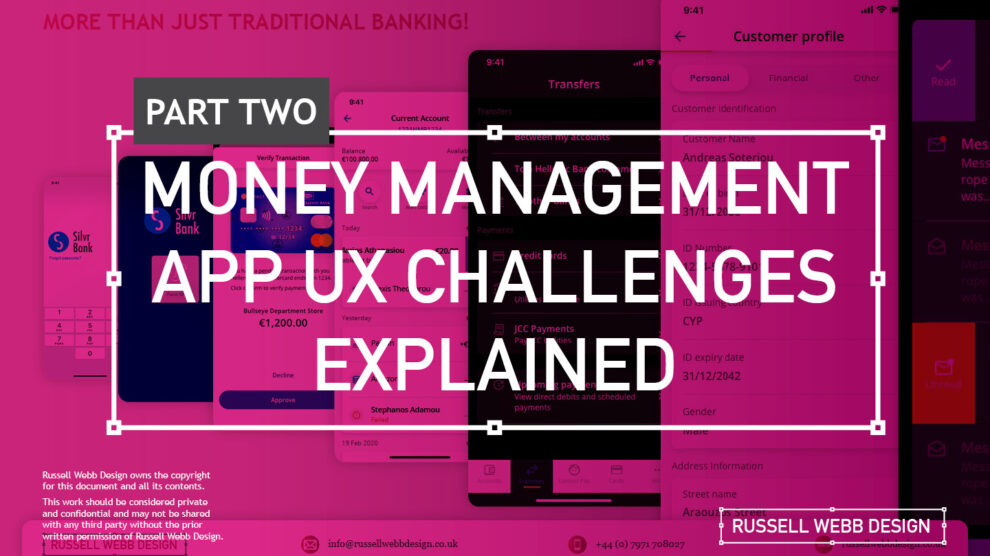
In my previous post (01 Welcome to Pt I; Real-world app design challenges by persona) I detailed why wealth management apps are becoming super relevant and how certain UX designers types experience certain user experience challenges. Let’s move on to our second persona;
Silvr Bank – Europe’s Best Digital Bank*
*Silvr Bank is a fictitious organisation but these are real-world challenges I have experienced in real-world projects with real-world clients.
The overarching goal with Silver Bank* is to design an interface for a thriving Generation X, with an emphasis on growing the fledgling millennial users base – i.e mobile-first. The C-level were looking to expand and improve their digital offer on these foundations
3,000 employees | 85 branches | 2nd biggest player in its market
The brainstorming UX Designer
At the kickoff stages this designer is focusing on the ‘what if’, they live their life in the fast lane of UX Discovery workshops and are typically very creative.
Blindly Following a Predefined UX Process
Every design team (or team or chapter) will have their flavour, probably with different names. The skill is to take these stages and adapt the outcomes so your creative and non-creative teams will understand and respond.
Design Thinking 101 – Research, Design, Prototyping, Testing and Measuring (validation) are default to the UX Designers. But do other team members understand or even need these outputs?
The point is, tailor the UX process according to project needs which comprise staple elements such as research, design, prototyping, and testing (validation).
Not Following the Iterative Design Process to Resolve Issues
Successful Agile Mindset – The ‘From’ and ‘To’ concept is familiar in banking UX Design. At MVP stage this pattern could be relatively dry. Using Agile to Iteratively improve the UI and improve the experience with new icons and micro animations to help deliver that delight moment for your users.
It is crucial and all kick-off stages with all new teams to pivot towards an MVP mindset. Here is my take in the ‘Three must-haves’;
Clients must have an understanding of the iterative process
Clients must understand developing software within Scrum is not typical to a design agency. No Big-Bang please.
A strong UX-er must be able to push-back on customisations that hold little value and only slow down the Scrum Train.
Designing within Scrum has its own challenges, but one of the clear benefits is the ability to ‘go fast’. This speed is only maintained if the core team are synced and understand that fast decision making, a complete understanding of the iterative process and grasping an MVP mindset must all be entrenched.
Confusing signposting – Crazy pop-ups and misunderstood empty states.
If you don’t understand the flow, how do you expect your users to?
Full Screen Empty States – Clarify your user journeys by offering clean empty state messaging, decode why loading states appear and explain, jargon-free, what are next steps.
The pop-up frequency, relevance, and placement are key factors that make or break your UX;
Don’t show multiple pop-ups at once or one after another.
Ensure the empty state tone of voice is relevant to the audience and brand.
Your pop-ups shouldn’t cover the entire screen. On mobile, your full screen empty state should.
Give your users breathing space to explore. You can then set suitable triggers for pop-ups to appear at the right time under certain conditions.
The UX Consultant on-a-mission
A seasoned veteran
This flavour of UX designer has earned their stripes both at the sharp end running in-house UX teams and blazing a trail as a freelancer. They are typically driven, organised and looking for clients to be the same – so education is centre stage (which brings its own set of problems – see Not Following the Iterative Design Process to Resolve Issues below).
Retail Banking Services
Banks and FI are increasingly integrating money management functionality into their mobile and desktop apps. There is a clear directive to push their customers to use their products, including Card Management and Selection, more actively.
Card Management and Selection – Cards have become a ‘must-have’ feature in modern financial application. Retail Services have responded, and to up’d their offer with effective use of colour, animations and UX patterns. i.e Here we see superuser swipe or mobile vertical scroll
In the western world, 76% of people use mobile banking services. Differentiation, whether that be through the quality of financial advice or expertise of financial service, has to be clear.
Creative font selection can derail already strong UX
Unless you have a solid reason to use a particular font type, stick with web-safe fonts. This is a common misunderstanding when implementing an out-the-box or white label product, as they allow your client to go crazy either with their brand font or one that simply doesn’t work online (or both).
Use your other UX tools to differentiate and stuck with the main players below;
Arial (sans-serif)
Georgia (serif)
Verdana (sans-serif)
Trebuchet MS (sans-serif)
Garamond (serif)
Tahoma (sans serif)
Courier New (monospace)
Times New Roman (serif)
Know Your Users. Know your competition
It would be a mistake to believe that money management applications are exclusively relevant for older adults. In reality, the target demographic for such applications is growing younger. Keep an eye out for millennials who, according to CBInsights, will inherit the largest share of the wealth of any generation – so mobile is absolutely key.
Be conscious of the challenger banks that are making waves and be distinct or what your differentiation actually is, and mobile is leading this charge.
Portfolio on Mobile – Leading the charge for Generation Z – Performance, Allocations through to Valuations all offer feature parity on web and mobile. Although Gen Z are prominently mobile – gear your efforts equally across all platforms to offer the complete package.
My conclusion on app challenges
It’s clear the challenges are many. Whether you’re be UX junior looking to soak-up the World Wide Web of experience or a seasoned veteran looking to fine-tune your UX skills, the key challenges when designing financial money management apps** are;
Not Following the Iterative Design Process to Resolve Issues
Clients must have an understanding of the iterative process and an Agile mindset. No Big-Bang please. Accept this and then you and your team can then ‘go fast’.
Laser Focussed on Design Systems and Best Practices
Non UX-ers need their outcomes. Without maintenance, allocation and expertise, a Design System that doesn’t rock, will impact UI delivery.
Blindly Following a Predefined UX Process
Adapting the Design Thinking process to suit. When implementing a white label product out-of-the-box, prototyping and testing default patterns will yield little value, focus on what makes your offer unique.
**Can be attributed to other domains, of course.
Pique’d your interest?
This is but part of a selection of design information russellwebbdesign generated for the creative community out there. Please contact me further to discuss how your brand can benefit from the new channel: info@russellwebbdesign.co.uk
If something has peaked your interest. Please leave a comment below.
Delight, speed and satisfaction are rewriting our UX playbooks in finance. While at the bleeding edge of this digital transformation, a modern UX-er has rapidly emerged, changing the rules of the game.
Strong UX has taken modern banking to the next level
Designing an ecosystem that can scale to deliver multiple connected products is really the ultimate UX/UI case study. Part of that skill-set is the new must-have that is dark mode.
Here is my take on this new visual aesthetic.
Delight, speed and satisfaction are rewriting our UX playbook in finance.
*Names and visuals have been changed to reflect NDRs and client confidentialitySimple | Clear | Close Three simple principles that complement each other and form the basis for the individuals experience
MYBANK* Europe – 3.8 million retail banking clients
This case study is based on MYBANK*. As part of a broader digital transformation, I led full-throttle Discovery sessions laying the UX foundations for this region’s third-largest banking group, with total assets at CHF 229 billion;
120-person strong team
1-2-1 Leapfrog Workshop
A demanding 3rd party agency
Goals and How-to retool
The goal here is to give back to the design community a mindset for transitioning handcrafted light-mode UI, to the dark side. As this mode has become the new black, UX / UI designers need to re-tool themselves with the skills to set effective palettes, to design in context and to know the rules or at least know how to break them.
Ominpayment Form – Financial users are familiar now with the ‘from’ and ‘to’ light mode design paradigm. Pushing that further, UX-ers today are tearing up the rulebook by adding in additional functionality around scheduling and note functionality in dark mode?
Using dark mode as default
Designing with a predominantly dark palette, swapping out light backgrounds, lightning text and icons has more recently become a non-negotiable design requirement with today’s clients. For mobile I get it, all apps should have both light and dark UI — or day and night themes that switch automatically. But what happens when your users are purposely choosing dark mode – all the time?
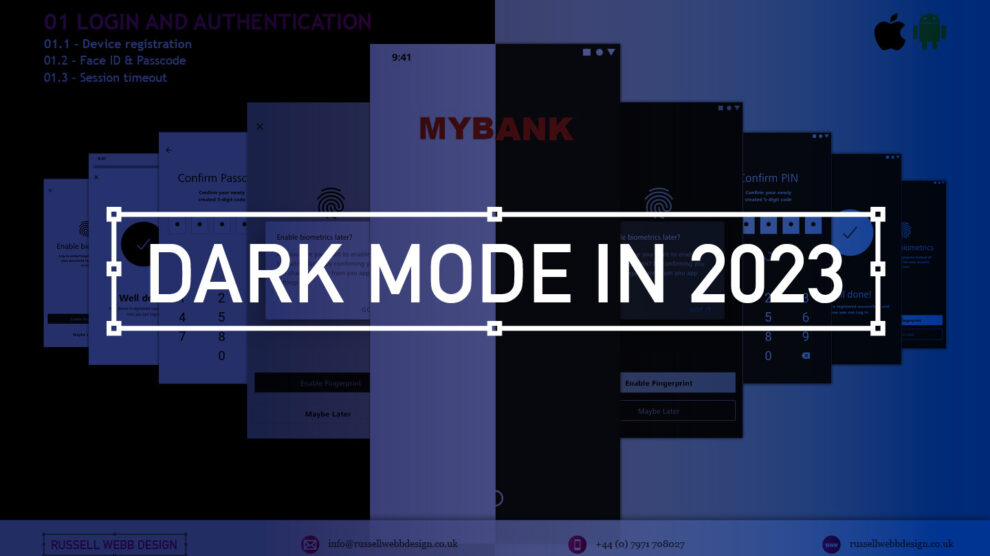
Login and Authentication – Device registrations, biometrics and timeouts. As dark mode becomes the users preference, should designers be moving this UI style to the top of their to-do lists?
How dark mode has crept up on us
Early computer systems were always in dark-mode as characters were inverted. The Mac brought WYSIWYG and what we now know as light mode, or ‘printed paper’ mode. This became the default, with designers rarely even thinking about other colour palettes.
Although prevalent in certain digital environments, ‘dials-and-lights’ interfaces (car dashboards spring to mind) have always been dark, controls and readouts follow established dark patterns.
Account Types – Established patterns in finance are fundamental to delivering a best-in-class mobile banking applications. Single-column scrolling and wide-and-shallow IA are familiar patterns.
An app with a dark palette consumes as much as 90% less energy, especially with AMOLED screens. For battery saving reasons there is enough justification for your clients to build in design capacity for this mode. Be mindful of your users’ environment, a bright rectangle glaring at them in a dim room is not good.
Most streaming-video services default to dark mode as users do much of their viewing at night. This is why TV have dark bezels – right? Dark backgrounds reduce the overall brightness of the display, so can be used in any lighting condition. A typical dark-mode page is five times less bright than exactly the same content in light mode.
Defining a dark colour palette
Designers have been reducing contrast in light-mode for years.
Black text is rarely black anymore (and not just disabled text)
Note the emphasis is on contrast. The term colour contrast is misleading. To give context, let’s map out a mini deep-dive on colour theory.
Quick recap on colour theory
Hue—The spectrum on which a colour appears.
Saturation—How intense a hue appears.
Brightness—The amount of black or white that is added to a colour.
To most designers, developers, and product managers—the term colour means the hue part only. Red or green, for example. Contrast implies that contrast relates to hue, but it does not. Contrast indicates the difference in brightness levels of two elements.
Small differences equal low contrast, large differences high contrast – socontrast is a comparison.
Account statements – This brand was laser focussed on contrast. UI decisions hung off their mission statement of ‘Simple. Clear. Close’, all in Dark mode. Note: Check out the white line surround
Contrast in Dark Mode
When dark-mode palettes are implemented properly, their low overall output should provide extremely high contrast, without anyone on a project team worrying that the display is too harsh.
But you still need to keep the contrast as high as possible, which trips up a lot of designers. Dark-mode design suggestions, guidelines and inspiration sites too often throw away everything we know about colour theory, especially;
Contrast
Visibility
Readability
Universal design
Don’t start with a black palette
A quick, easy way to start creating a dark palette is to create shades and tints of all your colours.
Keep the hue and saturation, change the brightness.
Colour theory tip
Shade = adding black to the colour.
Tint = adding white i.e, pink is a tint of red.
How-to build a powerful dark colour palette
Choose another dark colour from the palette as a background (or make a shade of one)
Create shades of all your colours i.e. adding black to the colour.
Use a number of dark hues for backgrounds making branded elements pop.
Instead of just using lines or grayscale, use various dark shades of the brand’s principal colour to set-off sections.
Finally, check contrast in a dark room with real users.
Even Google suggests very dark, highly saturated accent colours, but with lots of very low-contrast, grey backgrounds. Discarding simple lines around card edges and replacing them with dark-grey backgrounds doesn’t solve the contrast argument. Of course, this is just one opinion (albeit the worlds’ largest search company) – white key-lines can work as well.
Card Management – Providing the complete UX picture is essential for developer handover. Shimmering and Empty Space UI can utilise a grey illustrational aesthetic. Contrast Card UX to give definition against dark backgrounds and colour lines.
Grey is not the only fruit!
Hollow icons for available tabs and solid icons for the selected tabs, while not a colour theory issue, is an effective way to differentiate them. Using simple text for tabs, in grey or red is an issue for the colourblind, not acclimated to night or glare.
Bad contrast impairs readability and users become confused when part of the page scrolls, but other parts do not. Contrast and differentiationis not just text and icons but the entire experience.
Card Management – Colour palettes vary per client. Purist clients with a pre-existing ‘darker’ brand come alive in this universe. Employ sharp contrast, hues of black and bold principal primary colours.
Conclusions on dark mode UX
More menu – Employing an effective Design System allows clients to configure which iterative choice fits their brand and suits their user base. The ‘More Menu’ is a classic example, from flat lists to grouped cards with descriptions.
Enable iteration by employing a high-impact Design System with global reach
Personalising a gold-standard, multi faceted, flexible Design System, empowering over 220 global organisations, employing a 6 sections, over 500+ components, catering for 3 industry-standard digital platform
From foundational elements like typography, to light and dark colour mode across all tokens, icons and logo, a rich library of icons to container, cover and sheets, to selectors components, drop downs, empty states, models, navigational and informational elements.
Modern UX designers should champion dark mode as the default option for mobile apps. Embracing this trend not only aligns with user preferences but also enhances the app’s visual appeal and overall user experience;
Not just about style
Design choices such as a colour palette have enormous implications around usability and perception.
Design basics
Size, spacing, and contrast in dark-mode are still critical.
Test, test and test again
Don’t forget to test your solution in a real-world environment (i.e a dark room). Try to understand how people would use your product, and make sure you’re designing for their context and their needs.
Pique’d your interest?
This is but part of a selection of design information russellwebbdesign generated for the creative community out there. Please contact me further to discuss how your brand can benefit from the new channel: info@russellwebbdesign.co.uk
If something has peaked your interest. Please leave a comment below.
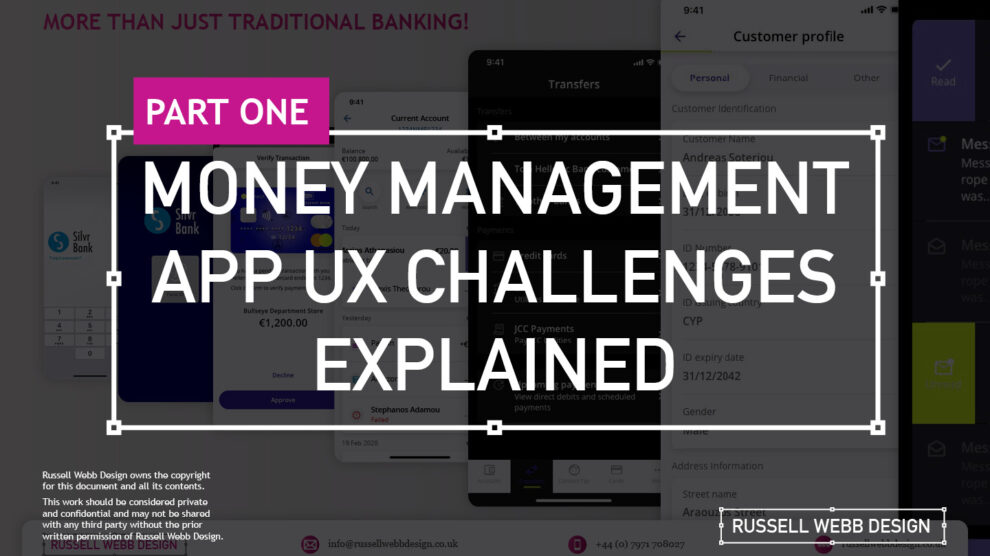
This two-part case study will be exploring UX design challenges within the financial ecosystem that different flavours of UX designers can face. Part I focuses on why wealth management apps are becoming super relevant and how certain UX designers experience different challenges.
Along the journey, I will also be supercharging the project objectives;
Catch-up feature parity
Prioritising critical features
Stakeholder education (Design Systems)
Let’s kick off by asking ‘What type of UX-er are you?’
Silvr Bank – Europe’s Best Digital Bank*
*Silvr Bank is a fictitious organisation but these are real-world challenges I have experienced in real-world projects with real-world clients.
The overarching goal with Silver Bank* is to design an interface for a thriving Generation X user group, with an emphasis on growing the fledgling millennial users – i.e mobile-first. The C-level were looking to expand and improve their digital offer.
3,000 employees | 85 branches | 2nd biggest player in its market
What type of UX-er are you?
UX Designer types – How UX designers approach their challenges depends on many factors. Experience, background and where a designer is on their journey are all influencing characteristics..
The challenges are many, so to focus this case study and depending on where you are in your UX journey, both as an individual and within a team, I have split these challenges in to three typical UX professional personas;
Mr ‘UX-design-is-completely-theoretical’ Designer
The brainstorming UX Designer
The UX Consultant on-a-mission
In this post, let’s drill-down on challenges faced by our first persona;
Mr ‘UX-design-is-completely-theoretical’ designer
This designer is at the beginning of their journey. They are a sponge, soaking up the design thinking processes and navigating their way through YouTube UX tutorials. Along the way they do need to get their hands dirty and experiment. To push back on theories, effects and laws. Learn to go with their gut and develop that inner self, that inner individual designer.
Laser Focussed on Design Systems and Best Practices
Design Systems from Hell – The benefits of a fully functional Design System are clear. Consistency. Speed. Best Practice. Collaboration. But when there isn’t a dedicated team or individual maintaining Component and updates. This is when the theoretical designer falls down and you get four bottom sheet options for iOS.
Maintenance of a fully functioning Design System has its own set of challenges. Inevitable non-creatives will ask;
For a ‘Design System’, where are the outcomes for non-creatives?
Who and how is it maintained (and who pays for it)?
Product teams will inevitably be looking for final deliverables they can understand (and charge for). This typically manifests itself as desktop and mobile UI screens. So while your designer is focused on perfecting their Design Token Figma file, the rest of the team are simply waiting for consistent UI.
Get you hands dirty… then give-back
Experienced designers learn their trade. The rest gain practical knowledge while learning the theoretical way. So experiment, make mistakes, try again, share your experiences, and then give these lessons back to the design community as an experienced designer. [For example, this post]
(Too much) user experience psychology
Which option matches which theory. The real skill comes for a UX designer to cut through the noise and go with the science. I have my opinion – Do you?
Theories and Laws can become overwhelming;
Retention Theory – Proportion of the information vs. time spent on a page
Serial-Position Effect – Recollection of the first and the last in a list of words
Hick’s Law – Response to multiple stimuli is delayed forcing user to ‘stay longer’
The Schema Theory – Human brains like to organise knowledge into meaningful units, or schematas
… I could go on, (my go-to is personally Gestalt Principle). From another perspective, and another theory:
Humans are fickle creatures, they don’t follow the rules.
These theories alone can help with design decisions, but there is no ABC, no tried-and-tested foolproof formula. So make the intelligent choice, be brave and go with your instincts.
Explore other perspectives on money management challenges
You now have a snapshot on why these management apps are so prevalent from one designer type perspective. But what challenges do other UX designer types face, see Pt II – Money Management App UX Challenges to explore how experience and perspective can influence the challenges and solutions you may face as a certain designer type.
Pique’d your interest?
This is but part of a selection of design information russellwebbdesign generated for the creative community out there. Please contact me further to discuss how your brand can benefit from the new channel: info@russellwebbdesign.co.uk
If something has peaked your interest. Please leave a comment below.
TL;DR Open Banking unlocks a future where financial apps become indispensable partners. A power-shift to more convenience, better financial education and meaningful relationships. Read on to see What’s next in this new ecosystem?
The role of open banking in the super app evolution is enormous, it is essential for creating a smoother user experience. Open banking is the core technology that allows these apps to draw financial data from multiple sources (APIs) and design products and services that speak to the needs and wants of the end-user.
Open Banking helps super-apps with:
Personalisation: Gathering data to enhance recommendations, habits and trends based on the user’s behaviour.
Centralisation: One app to rule-them-all, one roof and one umbrella. No need to switch apps to switch functionality (i.e.make payments, check portfolio performance, monitor transactions, etc).
Open finance: Super apps and open banking are foundational pieces in the financial ecosystem jigsaw – mortgages, savings, pensions, insurance and credit, can all talk to each other.
One app, multiple functionality – Users can monitor their portfolio performance, check allocations and assets values and confirm transactions all within one super app.
Super app benefits for wealth management
The end-user now enjoys luxuries that a few decades ago would seem unimaginable. Wealth Management (WM) was dated and rigid, Financial Institute in pole position, controlling the action. The birth of the super app has tipped the balance of power to the investor, putting them in charge of their finances.
Investment performance is the return on an investment portfolio, with single or multiple assets, measured over a specific period of time and currency. This standard of UX did not exist previously.
Convenience
The super app has evolved to give the consumer (and investment professionals) aone-stop shop for all theirfinances. Investors used to jump from website to website and from platform to app to check transactions, transfer money, pay bills, etc. Now within is single-pane-of-glass, user control their financial world.
Convenience – UX can elevate the transaction process to effectively display this ‘agreement’ between a buyer and seller to exchange goods, services, or assets for payment using Open Banking on any platform.
Smarter decisions
Phone a banker, broker or accountant to see how their money is affected by fragmented financial knowledge; Financial decisions needed the experts.
Did the expert always have your best interest at heart?
How close and personal was that relationship with these experts to trust their recommendations
How transparent were they?
Make smarter decisions – Market volatility is the frequency and magnitude of price movements, up or down. The bigger and more frequent the price swings, the more volatile the market is said to be, benefiting you and your clients even more.
The super app brought an dispassionate, clean, and precise approach to financial decision-making. It has trimmed-the-fat off the process, presenting users with the best viable option.
Enter the financial super app
A super app alleviates financial institutions from transaction processing, compiling data, building risk profiles and other traditional banking functions. It allows banking institutions to focus on building meaningful relationships with investors.
It centralises their attention and indirectly allows Portfolio Managers to tailor their campaigns for new products and services. Relationship Managers now know where their audience is; all they have to do is put the right thing in front of them.
From viewing fund performances to the allocation of assets, to understanding these assets positions, to what transactions have been actioned and reviewing portfolio valuation
From viewing fund performances to the allocation of assets, to understanding these assets positions, to what transactions have been actioned and reviewing portfolio valuation.
The future for financial super apps?
Data management
Third parties, organisations and fintech companies need to understand
Where the data is coming from
How they store it
How they use it
This is the way to buildbulletproof information flows.
AI-driven Financial Coaching
Artificial intelligence in money management apps process data quickly and efficiently. By monitoring financial behaviour, AI can assist users in maintaining smart savings, refinancing, achieving financial goals, and even more*.
*With approval, of course
Get in touch
Want more?
Discover how FI’s can can offer all clients personalised advice, how UX can help investment firms stay relevant in our neobank world and how to build a *Financial Super App – One click at a time.
This is but part of a selection of design information russellwebbdesign generated for the creative community out there. Please contact me further to discuss how your brand can benefit from the new channel: info@russellwebbdesign.co.uk
If something has peaked your interest. Please leave a comment below.