Category: IT

Information technology is a general term that describes any technology that helps to produce, manipulate, store, communicate, and/or disseminate information.

  • Real-World Messiness of Product Design

    Real-World Messiness of Product Design

    The commercial mindset of a UX designer ensures outputs aren’t just blue-sky, but shippable. Here I demonstrate how complexity is a daily occurrence, how a proven track record in parallel industries handling multi-layered data and regulatory standards can translate.

    With 15+ yrs exp. I showcase technical fluency with Design Systems, with developer handovers, and platform-specific patterns. Lets dive in…>

    What I personally designed

    To respect confidentiality agreements, the branding and specific naming have been modified. This product is currently live and serving 6k users

    A Portfolio of Reality

    messy

    unclear

    complex Problems

    constraints

    Post release updates

    While defining a real-world business problem, I was able to use UX tools to uncover pain points to inform an initiative UX wireframe flow that in turn, informed the final UI.

    🚀 From Discovery to Design and Solution

    01 Problem Statement: Create a user-friendly and simplified mobile journey that helps seniors mitigate their fraud anxiety, meet financial regulatory standards and ultimately manage their finances i.e. improve their financial wellness.

    This was further expanded with the study into;

    • Low-anxiety mobile payment – Seniors face challenges with mobile payments due to fear of fraud, cognitive load, and digital literacy. Designing a system that addresses these concerns while maintaining security is crucial.
    • Business problem | Design challenge – The challenge is balancing a simplified flow with a robust, secure multi-step flow to mitigate fraud anxiety and meet industry standards.

    02 Segmentation: Identify distinct segments within the aging parent demographic. Target a segment that can most benefit from the UK Payment process. Accessibility, personalisation, security, and financial wellness are key considerations.

    03 Research & Strategy: Use quantitative data with qualitative insights to inform a Customer Journey Map. Visualise the financial and emotional challenges faced by each segment, across a given scenario.

    I prioritised accessibility and task-oriented patterns. Personalised guidance, and minimising cognitive load were also key considerations..

    04 Wire framing Design Decisions: Making trade-offs and delivering a justified UX solution. Simplified to the “What”, the “Who” and “How Much” before a final check then execution. I limited one screen to have one single, clear primary action. Components were dual functioning for  Existing Beneficiary and New Beneficiary reducing two mini journeys to one.

    05 Conclusion & Outcomes: How my decision’s successfully translate a complex real-world business problem into an initiative UX wireframe and Final UI flow.

    Key highlight

    • Key stakeholders audience established 2-months before proposed Sprint through workshopping and client relationships.
    • Pain points highlighted early, including CoP, Secondary payment reference and scope (i.e Feed and FX was descoped)
    • Cross platform UX and UI for Alpha release delivered and demo’d in 3-months
    • Developer and BA handover, Design System integration scheduled early for estimation and to provide clarity
    • Design System integrated and UX Copy Check signed-off
    • No deadlines missed 🙂

    Engineering Constraints and Design Trade-offs

    engineering constraints

    Technical realities

    trade-offs

    final outcome

    International Payments

    International payments is a complex animal. There is a fine line between delivering pixel-perfect cross-platform consistent UI and balancing that against commercial and technician reality. Recently I was in Bug Triage to get this sophisticated and geographically dependent piece of functionality across the line. Lets dive-in ->

    SWIFT/BIC, when connected to an API returns a Bank name, think of it as a post code. While the end-user has the ability to edit this code for new payees, they cannot edit the bank name [engineering constraint]. For a more harmonise UX, new and existing payees should be displayed in a consistent and non-jarring format. So I made the decision to use input fields throughout, in various states.

    My design then changes From > To :

    AI generated: For NDA reasons, I have fast-tracked these Input Fields to rapidly visualise these engineering constraints.

    The Trade-Off

    This manifested itself from an arguably more elegant From execution, to the multi-platform but feature parity To solution following both a trade-off contributing to a non-jarring, smoother, and Input field led consistency experience.

    To give context, this attention to detail was part of a much wider delivery. For NDA reasons, the forms in its full extent (1 of 3), have been altered.

    To respect confidentiality agreements, the branding and specific naming have been modified. This product is currently live and serving 6k users

    The Data-Informed Designer

    Design intuition

    qualitative or quantitative signals

    Post launch

    Retrospective improvments

    How I value results just as much as pixels.

    Dashboard UX to business UI

    Catering for demanding clients requesting instant advice, competitive quotes and investment strategies requires tailored tools, especially within a sensitive client-data environment – Welcome to the a Customer Meeting App Dashboard

    Through team interviews, ad-hoc surveys and gorilla research I defined three “must-have” features early on, so pre-launch the business needs and UX goals were transparent;

    1. Single point of access for disparate data – Five-second insight
    2. Broad overview with drill-down capabilities – Inverted pyramid
    3. Fill other process gaps easier and faster – Champion the brand | DS achievability

    Problem and Opportunity

    The existing offering had become redundant. Integrating data from third-party repositories was a priority, to achieve an improved user journey. This presented an opportunity to re-imagine the complete ‘Create a Customer Meeting’ user journey.

    There was another further top-level requirement; Funding.

    People management point: When competent business executives are supported by UX leaders who articulate good design, bridging the gap between vision and execution, this can build confidence across the entire team to get product delivery across the line.

    See: Career Growth within Design Teams

    Reimagining Client Meetings

    Step 1

    Start with the user needs

    Streamlining the preparation of a meeting, and principally future proofing the Create a Meeting process with a scalable UI that can seamlessly integrate new data repositories, ensuring long-term flexibility.

    Step 2

    Segment in to ‘zones’

    The on-screen real estate delivers a quick look experience prioritising top from bottom.

    Step 3

    Test and Challenge through Prototyping

    Visualising up to 12 users’ journeys leads to better understanding and smoother development. Boxed development will not impact working code.

    Early sketches reveal the potential of a dashboard, emphasising hierarchy through top-down, LTR user scanning patterns, pushing a hierarchical arrangement that guides the user’s eye. Data is prioritised with glance-access to preview Meeting Name top-of-mind expanding and collapsing information depending what is scope. 

    A conceptual dashboard with multiple layers

    The final solution solved both the scalability problem, providing easy access to account numbers, the ability to add other account numbers, visibility on the meeting date and time, and the meeting status and who is the meeting organiser. Complete transparency on meeting detail, including location, meeting language and notes format with extra features like Meeting Packs.

    And the results speak for themselves
    190 offices | Growth from 8% to 56% | 1.5 years

    Quantitative Signals

    The quantitative metric as a single-source-of-truth of unifying insights speak volumes: 56% iPad growth in just 1.5 years over 100K client meetings in 40 countries with approximately half of their approx 85 offices in western Europe,

    From business problem to an Enterprise-level, real-time data dashboard from multiple sources, instantly accessed, no more hunting.

    Qualitative Design Trade-Offs

    On reflection post launch, one key factor in the development (and acceptance) of this new radical design was achievability. Funding is also a key developmental constraint so designing with business realities is key. This inevitably constrains blue-sky thinking, a real change outside of budget and possibly a missed opportunity was to re-pitch this design for responsively iPad (landscape and portrait) or to expand on the ‘mini’ and  ‘maxi’ concept from full disclosure down to dashboard snippets. Maybe in Phase 2!

    Career Growth within Design Teams

    How to hook new customers

    Ambiguity

    Ownership

    Resourcefulness

    When customers make a product selection there is a lot going on behind the scenes. Desktop new product onboarding carries a lot of functional weight, it is a prime candidate to wireframe. Capturing a large selection of unique steps requires enterprise-level wire framing skills.

    Defining the Problem

    Imagine a new or existing customer discovering your product. The onboarding process can often feel like a daunting maze. This is where detailed wireframes step-up, transforming a journey into a smooth, secure and clear experience. Early decisions were made to leverage a pre-existing Design System. High fidelity wireframes became the way forward with Figma as the wire-framing tool of choice. 

    Onboarding Flow & Development Preparation

    Process flow diagrams were thin on the ground, little research was available and there was a lot of ambiguity. This was an opportunity! I took it on myself to deeply understand how personal details were collected, how email and SMS validation data flows worked, understand business goals and success metrics, so the technical team can move forward. This was a calculated risk!

    Segmenting the UX Wire-framing Process

    1 – Guiding the First Steps

    Personal details

    Pre-registration

    The process begins the moment a product ID is entered as the customer clicks a product. These wireframes propose a gentle walk-through, hand-holding the customer and setting clear expectations. As personal details are collected, the system identifies pre-registrations, streamlining the experience. For unrecognised products, the UI gracefully handles the situation, preventing frustration.

    2 – Building Trust and Security

    KYC process

    Tax jurisdiction

    GDPR

    IDV

    Next, the validation screen requests a unique member ID, followed by a secure OTP process. This includes both email and mobile verification, paving the way for a robust KYC process.

    The customer identifies their tax jurisdiction, providing identification proof, as part of a seamless IDV (Identity Verification) experience. To ensure compliance with regional regulations, the system also gathers marketing and accessibility permissions, adhering to GDPR guidelines.

    3 – Personalisation Meets Regulation

    Investment pledge

    NI (UK)

    This joined-up onboarding process seamlessly transitions the customer from initial product selection to specifying their investment pledge.  Furthermore, their National Insurance ID is verified, ensuring 360˚ compliance.

    4 – A Smooth Conclusion

    Confirm Message

    Next steps

    UAT Testing

    Prototyping

    Finally, once all data is collected, it’s securely transmitted to the BE. The FE then provides clear messaging, confirming a successful onboarding experience. This leaves the customer feeling confident and ready for next steps. Wires were shared for feedback across the team, including stakeholder, technical leads and PO’s.

    Fine tune the results

    Sneak preview of the final delivered User Interface (UI)

    The process is still fresh, typically next steps are Usability Testing and Heuristic Evaluation. Prototyping, with QAs on standby, is another option to verify and test stakeholder feedback.

    Conclusion and Impact

    Ambiguity

    Clarity

    These wireframes don’t just showcase a process; they tell a simple story of a complex customer experience.

    By prioritising clarity (onboarding steps) and security (verification and OTP) this onboarding journey fosters trust and loyalty from the very first click.

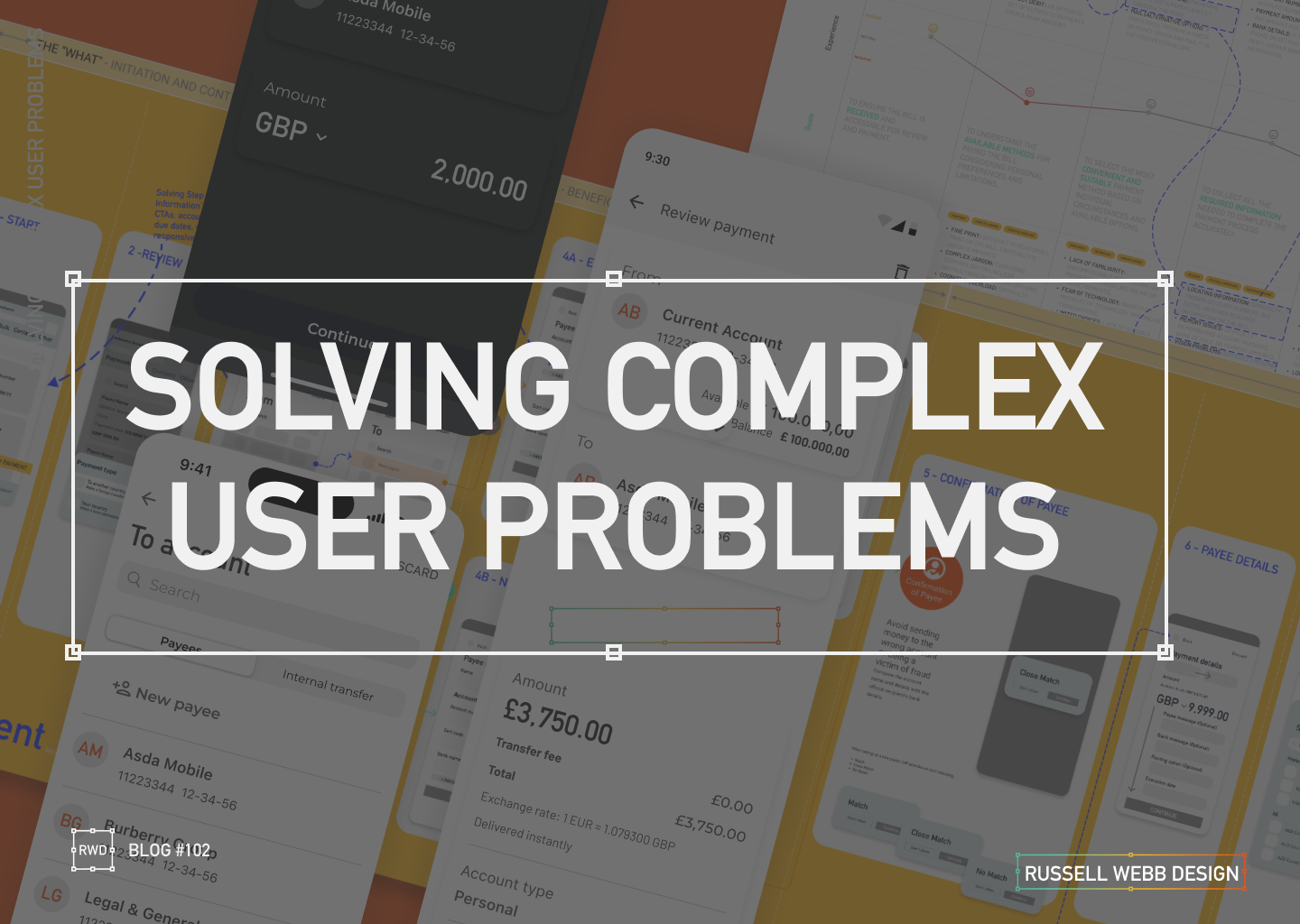
  • Solving complex user problems

    Solving complex user problems

    💳 This Case Study focuses on Payments.

    🧠 This Case Study uses AI: For corrective grammatical tasks, to verify facts and corroborate Journey Mapping insights.

    🔒 Details are protected by NDAs – Customer outputs have been disguised. UX best practices remains.


    My E2E Design Process

    ENTERPRISE

    automny

    🚀 From Discovery to Design and Solution

    01Problem Statement: Create a user-friendly and simplified mobile journey that helps seniors mitigate their fraud anxiety, meet financial regulatory standards and ultimately manage their finances to make informed financial decisions within the ecosystem of UK Payments (i.e. improve their financial wellness).

    02 Segmentation: Identify distinct segments within the “aging parent” demographic (e.g., healthy retirees, chronic conditions, single parents). Target a segment that can most benefit from a mobile journey, particularly the UK Payment process.

    03 Research & Strategy: Use quantitative data with qualitative insights to inform a Customer Journey Map. Visualise the financial and emotional challenges faced by each segment, across a given scenario.

    04 Wire framing Design Decisions: Making trade-offs and delivering a justified UX solution.

    05Conclusion & Outcomes – Key takeouts on why this case study successfully translated a complex real-world business problem into an initiative UX wireframe and Final UI flow.


    Problem & Challenge

    01.01

    Complex

    Regulatory

    Senior user groups face significant barriers to mobile adoption, especially with the complexities of a Payment flow.

    Obstacles: Fear of fraud | High cognitive load | Digital literacy gaps.


    Design challenge: Create a simplified and intuitive Payment journey, incorporating robust security and multi-steps required to meet regulatory standards.

    Current flow: High transaction abandonment and increased financial stress.

    Low-anxiety mobile payment

    01.02

    Financial Fears

    1. Map out a diverse range of seniors’ on a specific financial journey.
    2. Identify recurring frustrations and unmet needs to form themes.
    3. Design System: Execute a learned solution to solving senior financial wellness for this highly complex task.

    My experience consistently highlights that fear of fraud, cognitive load and digital literacy are major barriers to successful task completion for seniors. These fears are amplified during critical tasks like payments with multiple cognitive and security demands.

    Teams struggle to create a mobile payment flow that simultaneously meets modern security standards (e.g. multi-factor authentication, biometric prompts, COP) that minimises transaction abandonment, locked accounts, and user financial anxiety.

    Business problem | Design challenge

    01.03

    Robust

    Multi Step

    Unclear Alerts

    Balancing the need for a simplified flow, with the need for a robust, secure multi-step flow – required to mitigate fraud anxiety and meet industry standards – is the biggest challenge

    • Simplify complex tasks 
    • Prioritises key information while safeguarding users from fraud
    • Offers context-sensitive, proactive (not crisis-driven) support tools

    Pain points: Unintuitive interfaces, difficulty with small text/controls, fear of scams/fraud, loss of control, and lack of support, unclear fraud alerts, and difficulties with two-factor or biometric authentication. 

    👉 Complex flows increase cognitive load


    Segmentation

    PERSONAS

    🧠 These Personas use AI: To qualify primary and personal experience, to generate profile photography and clarify vocabulary.

    To respect confidentiality agreements, the branding and specific naming have been modified. This product is currently live and serving 6k users

    Tech-Savvy

    02.01

    Retired professor of English Literature

    “I’m not afraid of technology, but I want it to be simple and intuitive. I shouldn’t have to read a manual to figure out how to use something basic.”

    Tech-Wary

    02.02

    Retired accountant

    I’m old-fashioned. I don’t need all these fancy gadgets. I get by just fine with what I have.”

    High-Net-Worth

    02.03

    Focus: User-friendly interface, advanced features like budgeting tools, investment tracking, and retirement planning calculators.

    Caregiver-Dependent

    02.04

    Focus: Features that enable family members or caregivers to assist with financial management, such as shared access, bill pay assistance, and alerts for suspicious activity.

    Single-Senior

    02.05

    Characteristics: May face unique financial challenges such as navigating retirement income on a single income, planning for long-term care, and estate planning.

    “Sandwich Generation”

    02.06

    Characteristics: Still providing financial support to adult children while managing their own retirement needs.

    Personas Take-outs: 

    • Accessibility: Visual impairments, cognitive decline, and physical limitations. i.e larger fonts, high-contrast colours, and voice-activated controls.
    • Personalisation: Adapt to individual needs and preferences.
    • Security: Prioritise security and privacy, protecting seniors’ sensitive financial information. i.e. reduce anxiety
    • Promote financial wellness and stress management: Offer tools and resources to help the Sandwich Generation manage stress and prioritise their own financial well-being.

    Research & Strategy

    Journey Mapping User Profile

    03.01

    Explore the specific scenario for a Tech-Wary senior, with a lack of support, and simple banking needs:

    Journey Mapping Scenario: She receives a paper bill in the mail. She has a basic current account with a local bank branch, but prefers to handle her finances in person. However, the nearest branch is now closed, and she has limited access to reliable internet.


    ‘Make a payment’ Journey Map

    03.02

    Cognitive decline

    Reduced steps

    Fraud anxiety

    To respect confidentiality agreements, the branding and specific naming have been modified. This product is currently live and serving 10K plus HNW users.

    Design Decisions

    Making trade-offs and delivering a justified UX solution.

    04.01

    Peronalisation

    Agile mindset

    Make a Payment

    UX designers are re-writing their playbook when creating the UK Payment digital experiences. Using native mobile patterns that provide a white glove experience, reacting to task-orientated user needs.

    1. The Accessibility-First Mindset

    Inclusive Design from the Start: Not just meeting legal standards incl. WCAG, but ensuring it’s a shared team responsibility to implement descriptive alt text for images and proper and strong visual cues (colour, icons, etc) for assistive technologies.

    2. ‘Hand-Holding’ experience

    Mobile patterns are evolving, guiding users through their tasks with minimal friction, Personalisation and Progressive Disclosure all reduce the cognitive load.

    3. Task-Oriented Patterns

    The goal is to help users complete their objectives as efficiently and effortlessly as possible. Push-back on nice-to-haves

    The ‘Make a Payment’ Journey, simplified

    04.02

    Business logic

    Data

    From 13-Steps;

    1. Start – Presenting the primary task. Establish task focus.
    2. Select payment type – Define the transaction context to enable contextual filtering.
    3. To > From – Source and destination mapping.
    4. Existing or New Beneficiary – Slightly prioritise recall (existing payee) over data entry (new payee) to reduce user effort.
    5. Confirmations of Payee – Critical security check. Provides reassurance.
    6. Payment details – Ensure the payment’s purpose is accurately communicated.
    7. Scheduled – For future payments as a secondary payment path.
    8. Fraud Warnings – UX mechanism to initiate a Reason for payment.
    9. Review – Single-screen summary allowing the user to execute the F-pattern check.
    10. Authorisation – A strong authentication layer (e.g., biometric, PIN) to prevent fraud.

    To 4-steps;

    1. The What – Initiation and Context
    2. The Who – Beneficiary and Destination
    3. How Much – Transaction Details and Customisation
    4. The Final Check – Execution Preparation

    Wire Framing Design Decisions

    04.03

    From 13 > 4

    Customer Journey Mapping: Visualise the financial and emotional challenges faced by each segment across their lifespan.
    Simplified: The “What” – Initiation and Context | The “Who” – Beneficiary and Destination | “How Much” – Transaction Details and Customisation | The Final Check – Execution

    Wireframes opportunities

    One Action Per Screen

    04.04

    DEVELOPMENT ALIGNMENT

    To avoid overwhelming the user, limit a screen to have a single, clear primary action only. This approach reduces cognitive load.

    Input fields with dual functionality

    04.05

    DUAL FUNCTIONLITY

    While active, focused and error states are expected these components should be default for both Existing Beneficiary and New Beneficiary reducing two mini journeys to one i.e. no read-only state for Existing Beneficiary.

    04.05

    SNEAK PREVIEW


    To respect confidentiality agreements, the branding and specific naming have been modified. This product is currently live and serving 6k users

    Conclusion & Outcomes

    This case study successfully translated a complex real-world business problem into an initiative UX wireframe and Final UI flow.

    By using research and design tools to uncover critical pain points, I designed an E2E ‘Make a Payment’ journey with feature parity, respect to development needs with native patterns integration within a comprehensive Design System, balancing security standards with essential user simplicity.

    05.01

    Enterprise UX UI

    Delivered in 3 Mths

    • Key stakeholders audience established 2-months before proposed Sprint through workshopping and client relationships.
    • Pain points highlighted early, including CoP, Secondary payment reference and scope (i.e Feed and FX was descoped)
    • Cross platform UX and UI for Alpha release delivered and demo’d in 3-months
    • Developer and BA handover scheduled early for estimation and to provide clarity
    • Design System integrated and UX Copy Check signed-off
    • No deadlines missed 🙂
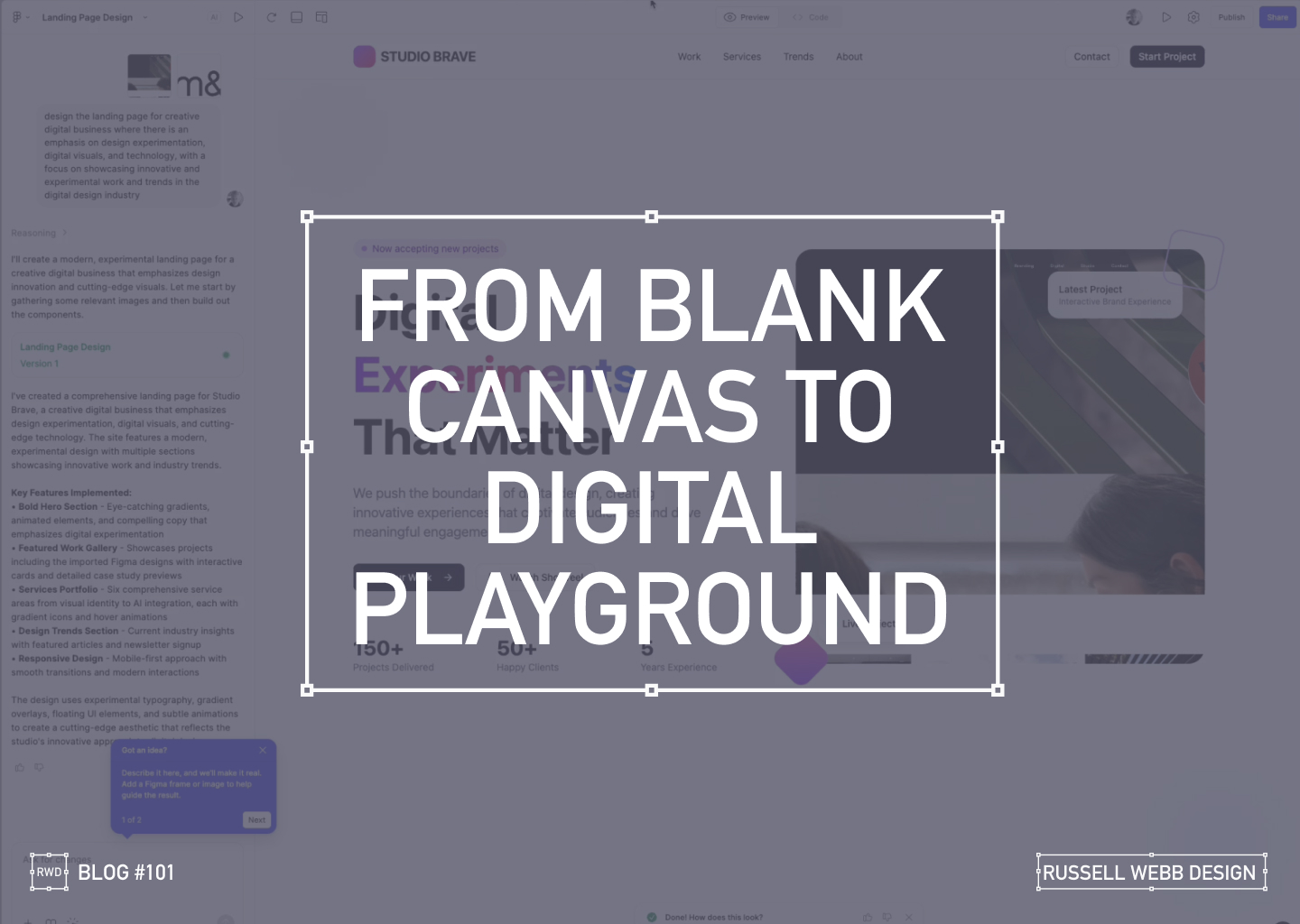
  • Blank Canvas to Digital Playground

    Blank Canvas to Digital Playground

    A Designer’s AI Experiment

    As a UX designer, I’m always looking for ways to streamline my workflow and push creative boundaries. So when I heard about Figma’s new AI capabilities ‘Make’, I had to see it in action. Can a tool quickly prototype a complete, narrative-driven landing page from scratch? I decided to put it to the test, and the results were more than I expected.

    From Uninspired to Unstoppable

    My goal was to create a modern, experimental landing page for a creative digital business. The AI prompt was simple yet specific:

    "Design a landing page for a creative digital business with an emphasis on design experimentation, digital visuals, and technology."

    What happened next was a fascinating look into the future of design.

    AI PROCESS

    The AI at Work

    From a blank canvas, the AI started to work its magic.

    Ignite Your Imagination: Transform Your Blank Canvas into a Digital Playground

    After a few more minutes, the result was a fully designed, visually rich landing page.

    Breathe Life into Pixels: Watch Your Digital Playground Emerge from a Blank Canvas

    The AI interpreted my prompt and delivered a bold hero section with eye-catching gradients, a featured work gallery with interactive cards, and sections dedicated to services and industry trends.

    Responsiveness

    Seeing the Design in Action

    The AI handled responsiveness very impressively. A mobile-first approach today is essential, the tool automatically created a transition for different screen sizes, providing solutions for interactive elements and flawless responsiveness.

    The Big Question

    Validation or Innovation?

    After seeing the final product, I’m left with a profound question: Did this tool save time, or did it save me from a necessary part of the creative process?

    There’s no doubt that the AI delivered a solid foundation, tackling about 60% of the work with remarkable speed. It created a baseline of good UX patterns and clean code.

    However, as a designer who lives and breathes this work, I have to ask: Are our (human) base-level patterns enough, or should it challenge us to push web design further?

    Stop Dreaming, Start Building: The AI managed to capture responsive versioning too.

    Powerful, but…

    While this technology is powerful, it comes with a few caveats:

    • It’s currently an Enterprise-level feature, locked behind a paywall.
    • The feature must be enabled by an administrator. There is cost, and a credit count

    For now, these tools can save us from the mundane, repetitive tasks. But the real magic of design, the element that makes a project truly stand out is the unique human perspective. It’s the storytelling, the subtle emotional cues, and the a-ha moments that only a human designer can bring.

    So, while AI can build the foundation, I believe our role is to continue pushing the boundaries, ensuring that every design tells a meaningful story.

    What do you think? Is this the future of design, or just a powerful new tool in our creative arsenal?

    Discover high-impact UX case studies

    Portfolio case studies describing design, my UX process, and business impact.

    From boosting user adoption in fintech, to improving trust with responsible gambling through to retaining Millennials in the world of ‘digital lotteries UX’ to leveraging key USPs for mobile healthcare.

  • Dashboard UX to Business UI

    Dashboard UX to Business UI

    Enterprise-level, real-time data from multiple sources, instantly accessed, no more hunting.

    A single-source-of-truth of unifying insights speak volumes: 56% iPad growth in just 1.5 years over 100K client meetings

    The Problem Statement

    Problem framing

    Best practices

    Design principles

    To respect confidentiality agreements, the branding and specific naming have been modified. This product is currently live and serving 6k users

    Within a strictly regulated financial environment my clients use dashboards data every day.

    Users

    Advice

    Quotes

    Investment

    As the world’s largest wealth manager, catering to affluent clients requires exclusive online services like advice, quotes and investment strategies, delivered digitally. Internal systems application empower the two principal user groups;

    • Customer Consultant Associates
    • Customer Consultant* (CCA’s/CC’s),

    Assembling these customer meetings takes time, accessing strictly private data to provide a complete, competitive and professional service requires a tailored and specialised tool – of which the Customer Meeting App* is the bank’s primary channel.

    What are the driving factors for developing a dashboard?

    Strategic insights

    Information architecture

    Single source

    Imagine client meetings where crucial information is instantly accessible, scattered data unified, and time spent hunting replaced by strategic insights. This is the potentially transformative power of the Customer Meeting App’s dashboard, built around three “must-have” features:

    1. Single point of access for disparate data
      Instead of opening various applications, interfaces, or online databases, the CCA’s/CC’s have a real-time dashboard.
    2. Broad overview with drill down capabilities
      A dynamic dashboard, digital documentation and secure access.
    3. Easier, faster, sign source of truth
      Consolidated statistic, statues displays, contextual information, and ‘Edit’ functionality placed intelligently for quick consumption.

    Achieving speed, clarity, and brand harmony

    Journey

    Processes

    Re-imagine

    Problem and Opportunity

    The existing offering had become redundant, with processes and previous ways of working no longer relevant or appropriate. The client required the seamless integration of data from third-party repositories and a significantly improved user journey. This presented a clear opportunity to re-imagine the complete ‘Create a Customer Meeting’ user journey.

    Dashboard design best practice

    There are 3 dashboard design principles that are drove decisions and are considered best practice:

    1. Five-second insight

    Funding was a principal driver for this project. Empowering a more intuitive process to adding customer data (account numbers, quote links, investment profile links, and upcoming future services) at a glance was key to the baseline UX.

    2. Inverted pyramid layout

    The inverted triangle displays the most significant insights on the top, trends in the middle, and granular details towards the bottom.

    3. Brand champion and ensure DS achievability

    Championing UCD principles for both organisation’s values and consistency was a challenge. Without a dedicated UX stakeholder, negotiating a new global Design System, within budget and development constraints proved demanding.

    Reimagining Client Meetings

    Scalability

    Visual Hierarchy

    Visual Design

    To respect confidentiality agreements, the branding and specific naming have been modified. This product is currently live and serving 10K plus HNW users.

    To reiterate the design process, I went through the following:

    1. Step 1 – Start with the user needs
      The foundation of successful design. Streamlining the preparation of a meeting, and principally future proofing the Create a Meeting process with a scalable UI that can seamlessly integrate new data repositories, ensuring long-term flexibility.
    2. Step 2 – Segment the experience in to ‘zones’
      The on-screen real estate delivers a quick look experience prioritising top from bottom.
    3. Step 3 – Test and Challenge through Prototyping
      Visualising up to 12 users’ journeys leads for better understanding and smoother development. Developers also need reassurance that this would be a boxed development and will not impact working code.

    Driving Discovery UX within a challenging Agile environment

    Hierarchy

    F-Pattern

    Low-fidelity prototyping

    Early sketches are crucial: They reveal the potential of a dashboard, emphasising hierarchy through top-down, left-to-right user scanning patterns. Grouping key data, utilising white space, and enabling light touch drill-down are key drivers.

    Scope and hierarchy: Initial sketches focus on what’s important, pushing a hierarchical arrangement that guides the user’s eye. Data is prioritised with ‘glance-access’ to preview Meeting Name at the top, followed by Last Modified and owner information.

    Chain of command flow: Expanding on the ‘Mini’ concept, this ‘Maxi’ Dashboard version offers the full experience. Enabling the CCA’s/CC’s to very quickly assess top level meeting status and drill-down to Privacy Setting, customer ID photos, and Mode of Contact.

    Sketching a tailored experience

    What is in scope: These initial sketches start to show the power of a dashboard. Pushing the hierarchical arrangement, the user’s eyes organically concentrate from top to bottom, left to right. We have the data, so embracing the Meeting Name and grouping the Last Modified through to the Meeting Owner data just makes sense.

    Estimation sketches 

    In Agile, pre-estimation is an important ceremony before sprinting. An efficient method of conveying your UI is to sketch and quickly map out the flow, the user interactions and where the final CTAs might be..

    Realising a final solution

    To respect confidentiality agreements, the branding and specific naming have been modified. This product is currently live and serving 6k users

    A conceptual dashboard with multiple layers.

    The final solution solved both the scalability problem, providing easy access to account numbers, the ability to add other account numbers, visibility on the meeting date and time, and the meeting status and who is the meeting organiser, all there front-of-stall for the user. Complete transparency on meeting detail, including location, meeting language an whether the meeting has typed notes and freehand notes plus special features including packaging the meeting contents ready to send the customer and associating the meeting with a customer ID.

    A new dashboard suite is here;

    • Highly Readable
    • Inherently Scalable
    • Data-Driven

    Design Trade-Offs

    Business Reality

    ROI

    Inverted Pyramid

    One key factor in the development (and acceptance) of this new radical design was ‘achievability’. Funding in a key developmental constraint with financial services, without it a project will not leave the ground – designing with business realities is a UX key skill. 

    Account number drill-down

    The UX was sold into the business as streamlining the ‘Create a Meeting’ user flow at a single glance, adding value at the advisory level.

    There are four (4) account numbers associated with this meeting. The user is able to hover, edit or launch a pop-over dialog box to create an account specific meeting from this functionality.

    Hierarchical details

    Providing a tiered ‘inverted triangle’ proved to be an excellent facilitator for the single-point of truth concept. Employing hover state ‘tooltip’ functionality allowed for a broad overview with drill-down capabilities.

    Global Digital Shift

    Adoption

    Impact

    Massive UX Reach

    To respect confidentiality agreements, the branding and specific naming have been modified. This product is currently live and serving 6k users

    40

    Countries

    190

    Offices

    100k

    100,000 Meetings

    48%

    8% to 56% Worldwide Growth

    The bank is present in more than 40 countries with approximately half of their 190 offices are in western Europe, where half of the Customer Meeting App meetings are delivered on the iPad. This is a phenomenal growth from 8% to 56% worldwide in the last 18 months.

    100,000 meetings prepared and delivered via the application each year. A true revolution!

    *Names changed to protect the innocent

  • Why do tech guys love drop downs?

    Why do tech guys love drop downs?

    TLDR: Traditional drop downs stifle UX in regulated financial software. They overload users with hidden options, hinder transparency, and increase cognitive load. But there are alternatives, prioritise immediacy, transparency, and champion user-centric solutions.

    Recently I’ve been involved with implementing Design Thinking and best practice UX for a heavy technical suit of applications. Although I’m pushing collaboration and inclusivity, especially with the developers, I can recognise that look in their eye when I’m evangelising best practice and stressing user’s needs and wants.

    It’s not their fault.

    To give you a snapshot of this established and mature Agile team, we need to step back. Within a heavily regulated financial development environment, tech guys concentrate primarily on tech functionality. Task orientated user flow (UX) followed by aesthetics and that ‘delight’ moment (UI) very much take very a back seat.

    When select menu has less than 7 options it suffers from a lack of up-front information.

    So cycling back round to the title of this post, I get constantly asked “Please can we use a drop down here’. I’m not Mr Anti-Dropdown but I always ask why?

    Let’s NOT use a drop-down

    Drop-downs seems to be a one-stop shop killer solution for every developer’s requirement. We have a registration form to design, and there is a question about gender. M or F, ‘Lets use a drop-down’. A news article page within a CMS where an editor can choose a collection of background brand colours; ‘Lets use a drop-down’. A mobile home page with three sections, ‘Lets use a drop-down’. Although not so much with iOS developers, it seems this breed have a tighter aesthetic.

    For a better UX experience, be transparent with your users. Show them their choices rather than hide them behind a drop-down.

    The ‘why not’ revolves around these three simple points;

    1. Hiding selection choices behind a drop-down isn’t best practice. Especially when there is the on-screen real estate available.
    2. Displaying the user choices adds immediate vision and scope, reduces the cognitive load and allows the user to see their destination.
    3. For consistency across platforms, would that mean a drop-down on iOS devices – now you Apple fan base out there love your Apple T-Shirts and the WWDC Conference, but it doesn’t dictate best practice UX? This would not be my recommendation – especially the ‘nasty’ native iOS touch drop down.

    I can fully appreciate when you have a selection of more than say 6 – 8 items (this number varies) then you should default to drop downs. But the bigger question is; If you could provide an option for the user to click straight through, where they can see all their choices at a single glance, and you have the on-screen real estate the you should absolutely push for a more transparent solution.

    The 100 option drop-down

    Allow your users to starting typing to narrow their choices and then offer them a limited and tailored number of selections.

    A classic example is the auspicious country-selector with it’s 100 options. There is no no quick and easy overview option. And those of you from an ‘United” country, well it is potluck whether you’ve been bumped to the top or your country is listed by one of its other names. My preferred choice is to use auto complete menu instead – need visual

    When select menu has less than 7 options it suffers from a lack of up-front information. The user has to click in order to see the available options.

    So what’s the definitive best practice answer then?

    When to use on desktop

    Use radio buttons for choices under 7

    For web you should use radio buttons when choices under 7. Your users will be able immediately scan how many options they have and what each of those options are, without clicking (or typing) anything to reveal this information.

    This is particularly true for the ‘Please select your gender question’. At the start for the 21st century there are definitely under 7 choices here, so please use radio buttons.

    Use Mobile convenient add-ons to boost your productivity

    Type “Af” and Afghanistan, Central African Republic and South Africa drop-down

    User are discouraged by the perception of many taps. There is always the ‘fat finger’ issues, but more importantly today mobile savvy Gen X, Y or Z, who interact everyday with data driven (server side) continual validation apps. Always-on spell check, auto fill name and address field and real time dynamic delivery options for example. This is especially true on the smaller screen – speed, convenience and time are crucial factors when completing tasks.

    Conclusion

    Avoiding dropdown menus is a crucial design pattern on mobile platforms. Is there a faster alternative, better UX choice to reduce usage errors.

    Experienced developers are a great resource. As a future thinking UX-er you should always challenge, ask the right questions and be the user; Does this control choice make my life easier?

  • Part II – Designing a Secure Document Repository; Case Study 2019

    Part II – Designing a Secure Document Repository; Case Study 2019

    TLDR; Last month I posted Part I of how I designed a service integration project within the suit of financial apps for a large international retail bank and asset manager. Part II focuses on ‘My UCD Design Process’ and ‘Future Vision’ and ‘Design Systems’

    (more…)