Category: +Critical UX Analysis

What are the philosophical underpinnings of HCI? By critically evaluating the latest trends in AI, and how to adopt Fitts’ Law and Hick’s Law and how these shape digital behaviour. From thought-leadership content to authoritative UX understanding as both a science and an art form.

  • Blank Canvas to Digital Playground

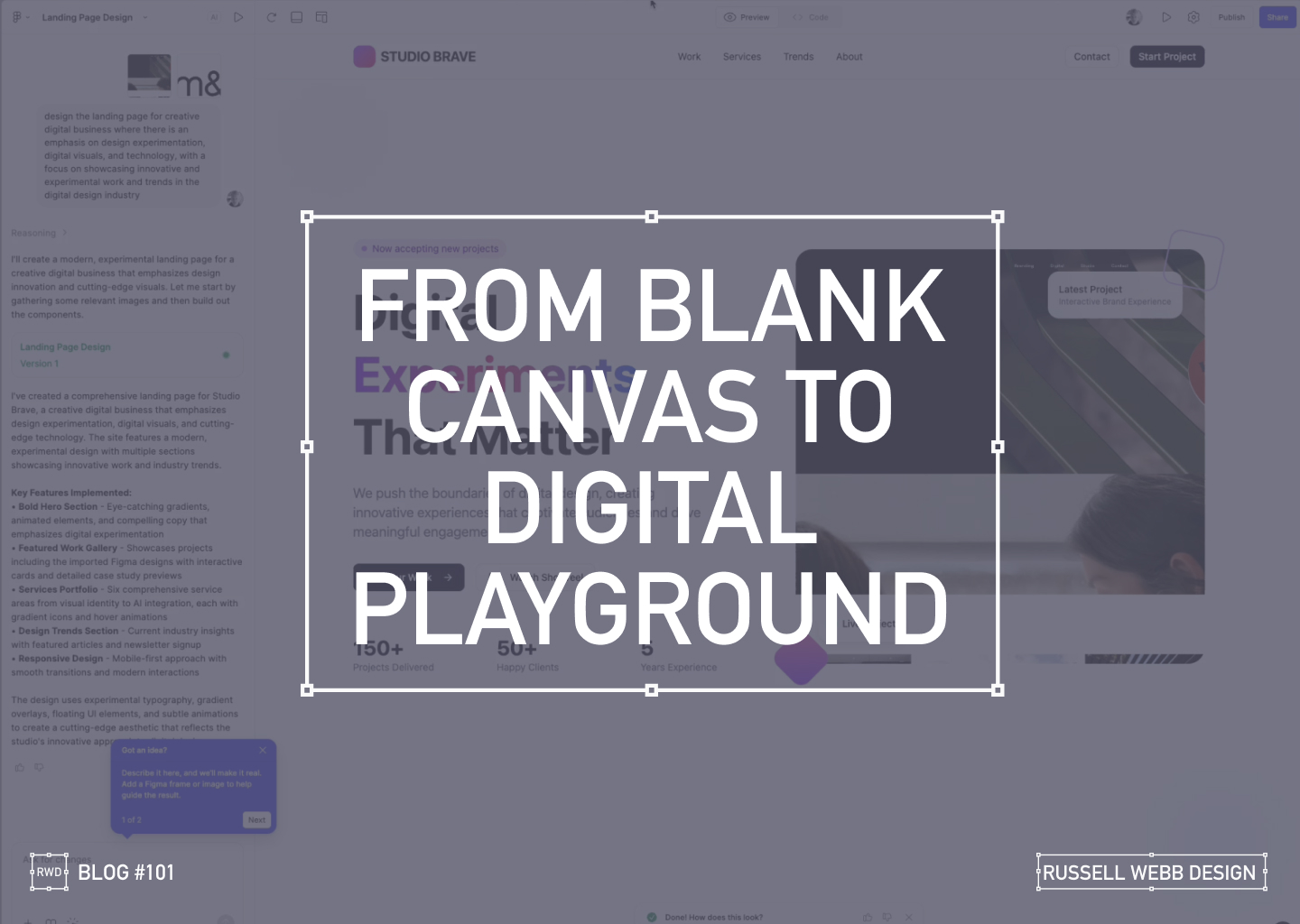
    Blank Canvas to Digital Playground

    A Designer’s AI Experiment

    As a UX designer, I’m always looking for ways to streamline my workflow and push creative boundaries. So when I heard about Figma’s new AI capabilities ‘Make’, I had to see it in action. Can a tool quickly prototype a complete, narrative-driven landing page from scratch? I decided to put it to the test, and the results were more than I expected.

    From Uninspired to Unstoppable

    My goal was to create a modern, experimental landing page for a creative digital business. The AI prompt was simple yet specific:

    "Design a landing page for a creative digital business with an emphasis on design experimentation, digital visuals, and technology."

    What happened next was a fascinating look into the future of design.

    AI PROCESS

    The AI at Work

    From a blank canvas, the AI started to work its magic.

    Ignite Your Imagination: Transform Your Blank Canvas into a Digital Playground

    After a few more minutes, the result was a fully designed, visually rich landing page.

    Breathe Life into Pixels: Watch Your Digital Playground Emerge from a Blank Canvas

    The AI interpreted my prompt and delivered a bold hero section with eye-catching gradients, a featured work gallery with interactive cards, and sections dedicated to services and industry trends.

    Responsiveness

    Seeing the Design in Action

    The AI handled responsiveness very impressively. A mobile-first approach today is essential, the tool automatically created a transition for different screen sizes, providing solutions for interactive elements and flawless responsiveness.

    The Big Question

    Validation or Innovation?

    After seeing the final product, I’m left with a profound question: Did this tool save time, or did it save me from a necessary part of the creative process?

    There’s no doubt that the AI delivered a solid foundation, tackling about 60% of the work with remarkable speed. It created a baseline of good UX patterns and clean code.

    However, as a designer who lives and breathes this work, I have to ask: Are our (human) base-level patterns enough, or should it challenge us to push web design further?

    Stop Dreaming, Start Building: The AI managed to capture responsive versioning too.

    Powerful, but…

    While this technology is powerful, it comes with a few caveats:

    • It’s currently an Enterprise-level feature, locked behind a paywall.
    • The feature must be enabled by an administrator. There is cost, and a credit count

    For now, these tools can save us from the mundane, repetitive tasks. But the real magic of design, the element that makes a project truly stand out is the unique human perspective. It’s the storytelling, the subtle emotional cues, and the a-ha moments that only a human designer can bring.

    So, while AI can build the foundation, I believe our role is to continue pushing the boundaries, ensuring that every design tells a meaningful story.

    What do you think? Is this the future of design, or just a powerful new tool in our creative arsenal?

    Discover high-impact UX case studies

    Portfolio case studies describing design, my UX process, and business impact.

    From boosting user adoption in fintech, to improving trust with responsible gambling through to retaining Millennials in the world of ‘digital lotteries UX’ to leveraging key USPs for mobile healthcare.

  • Discovery Workshop to Roadmap in 3 days

    Discovery Workshop to Roadmap in 3 days

    TLDR; Navigating Ambiguity
    Using workshop techniques I validated personas to surface a UI that promoted next steps for a Candidate Portal.

    Solving 3 big problems in 3 days; Aligning the target audiences through journey mapping, defining a Value Proposition and building a draft Product Roadmap.


    Hard Skills:

    Journey Mapping

    Research

    Visual Design

    Goal-oriented Roadmap

    Soft Skills:

    Empathy

    Collaboration

    Critical Thinking

    Full List →


    How to facilitate an ideation workshop around solving problems, understanding through ideation, knowledge sharing (based on agreed on personas)
    How to facilitate an ideation workshop around solving problems, understanding through ideation and knowledge sharing (based on agreed on personas)

    Help clients solve big problems, fast

    This user-centred and business workshop focussed on;

    • Business Problem Statement – The What
    • Value Proposition Statement – How to excite users / customers
    • Product Roadmap – Action/Next Steps

    What we set out to achieve

    Recently I was leading the Discovery phase for a multinational publishing, education & recruitment company. My prime objective was to facilitate the generation of a Value Proposition within a collaborative workshop environment based around three hypotheses;

    • Understand‘Getting the right idea’ and ‘getting the idea right’
    • Ideate – Align the team | Get creative
    • Roadmap – Present, prioritise and theme

    Defining Vision, setting scope

    How to facilitate an ideation workshop around solving problems, understanding through ideation, knowledge sharing (based on agreed on personas) and then attributing those personas, via SMEs validation, to surfacing UI to promote next steps plotted on a goal-oriented roadmap.
    How to facilitate an ideation workshop around solving problems, understanding through ideation, knowledge sharing (based on agreed on personas)

    Persona Playback, Value Propositions and Knowledge Sharing

    Validating Personas proved crucial. Early ‘Understand’ sessions proved invaluable in terms of getting to know the client’s ecosystem and getting closer to the overall workshop goals. Goals included personas improvements using a Value Proposition Canvas to expose misunderstandings, define Jobs To Be Done (JTBD) and Pains and Gains – more importantly it identifying key themes and services that would appeal to these personas. This ensured any misalignment did not cascade down to the Journey Maps on Day 2

    What we were trying to achieve using ‘Ask the experts’. Early touch points included attracting educational establishments and employers using baked-in services, plus having the ability to grow the market was paramount for particular personas. The client had the raw building blocks and the workflow for their ‘niche product for a niche market’, communicating that vision was the challenge.

    Customer Journey Mapping – Make the best hiring decision

    How to facilitate an ideation workshop around solving problems, understanding through ideation, knowledge sharing (based on agreed on personas) and then attributing those personas, via SMEs validation, to surfacing UI to promote next steps plotted on a goal-oriented roadmap.
    How to facilitate an ideation workshop around solving problems, understanding through ideation, knowledge sharing (based on agreed on personas)

    Gaining alignment across stakeholders on what making the ‘Best hiring decision’ journey looked like. Creating a visual representation of every experience a key persona(s) had with the client helped to tell a story, more importantly this led to a prioritised ideation list (visual solutions).

    Making the Best Hiring Decision

    • Initial stages – Planning and approval
    • Intermittent stage – Profile building, search and selection tools
    • Final stage – Interview, agreement and follow-on activities

    The exercise also highlighted a level of anxiousness, through to excitement and eventual relief. A truly valuable activity that presented opportunities that were eventually clustered and presented to the group as an adaptive Crazy 8 activity.

    Ideation and Roadmap

    Finally, this led on the most challenging section of the workshop, the Ideation Sessions. This resulted in 4 concept areas to prioritise on the road map and populate a timeline.

    Sketching can be scary!

    Demonstrate the steps to avoid a cold start.

    Push back on judgement calls and champion quantity over quality. All participants should take advantage of the knowledge in the room, bounce ideas off each other and improve through collaboration. A process of silent note taking, constrained to a page/large Post-It note, resulted in 4 principal concepts.

    Value: shorter tests, improve the UX

    Value: Personalisation. Summary driven.. 

    Value: candidate self-improvement.

     Value: better decision = better employees.

    Boosting Engagement

    Shortcuts to Success

    Shortcuts to Success

    • * Faster, more reliable tests: Reduce testing time and increase reliability
    • Personalised engagement: Tailor tests to individual needs, leading to higher engagement and lower churn.
    • Business-focused UX: Align testing with business goals by leveraging KPIs; Targeted feature development.
    Supercharge Testing

    Impactful Tests

    • Reduced client churn: Shorter, feedback-driven tests foster client satisfaction and retention.
    • Diversity in hiring: Objective, efficient testing helps attract diverse talent and improve hiring decisions.
    • * Shared Data; All backed up by a global database
    Boost diversity & retention

    Innovation for Early Adopters

    • * Modernise testing: Introduce innovative concepts too early adopters only.
    • Candidate quality and validity: Prioritise attracting the best candidates. Ensure test results are accurate and reliable.
    • Goal-oriented roadmap: Leverage learnings to craft a clear roadmap for continuous improvement.
    Better candidates | More valid results

    Goal-oriented roadmap

    Setting standards with a development Roadmap

    Solving big problems and setting milestones through a draft roadmap contributed to accelerating development across the current period and the next. Raise their internal products up to today’s standards was a priority. This roadmap was a significant step closer to this.

    3 big problems in 3 days

    Align the target audiences 

    We did this across the group early on through a deep-dive personas playback session. This proved essential both to enable the journey map but also assigning value in the KPI session.

    Define the Pains and Gains

    This was accomplished with a Value Proposition Canvas. A useful business tool to surface Pains and Gains and Jobs-To-Be-Done

    Build a draft Product Roadmap 

    This acted as a our North Star and as a high-level visual summary of the workshop outcomes; Two development streams; Two principal personas.


    As a value-add, a UX / UI Report consolidating all data was generated, highlighting the groups new findings and areas for improvements to inform future Timelines and Roadmaps.

    RussellWebbDesign: Get your fill of UX trends, case studies and best practice

    Discover high-impact UX case studies

    Portfolio case studies describing design, my UX process, and business impact.

    From boosting user adoption in fintech, to improving trust with responsible gambling through to retaining Millennials in the world of ‘digital lotteries UX’ to leveraging key USPs for mobile healthcare.

  • Pt I – Money Management App UX Challenges Explained

    Pt I – Money Management App UX Challenges Explained

    A two-part deep-dive focussing on mobile UX design targeting seasoned designer-types, mastering Design Theory, and navigating lean Agile challenges.


    Hard Skills:

    Journey Mapping

    Research

    Visual Design

    Soft Skills:

    Empathy

    Collaboration

    Critical Thinking

    Full List →


    Welcome to Pt I

    Real-world app design challenges by persona

    This two-part case study will be exploring UX design challenges within the financial ecosystem that different flavours of UX designers can face. Part I focuses on why wealth management apps are becoming super relevant and how certain UX designers experience different challenges.

    Along the journey, I will also be supercharging the project objectives;

    • Catch-up feature parity
    • Prioritising critical features
    • Stakeholder education (Design Systems)

    Let’s kick off by asking ‘What type of UX-er are you?’

    Silvr Bank – Europe’s Best Digital Bank*

    *Silvr Bank is a fictitious organisation but these are real-world challenges I have experienced in real-world projects with real-world clients.

    The overarching goal with Silver Bank* is to design an interface for a thriving Generation X user group, with an emphasis on growing the fledgling millennial users – i.e mobile-first. The C-level were looking to expand and improve their digital offer.

    3,000 employees | 85 branches | 2nd biggest player in its market

    What type of UX-er are you?

    UX Designer types – How UX designers approach their challenges depends on many factors. Experience, background and where a designer is on their journey are all influencing characteristics.. 

    The challenges are many, so to focus this case study and depending on where you are in your UX journey, both as an individual and within a team, I have split these challenges in to three typical UX professional personas;

    • Mr ‘UX-design-is-completely-theoretical’ Designer
    • The brainstorming UX Designer
    • The UX Consultant on-a-mission

    In this post, let’s drill-down on challenges faced by our first persona;

    Mr ‘UX-design-is-completely-theoretical’ designer 

    This designer is at the beginning of their journey. They are a sponge, soaking up the design thinking processes and navigating their way through YouTube UX tutorials. Along the way they do need to get their hands dirty and experiment. To push back on theories, effects and laws. Learn to go with their gut and develop that inner self, that inner individual designer.

    Laser Focussed on Design Systems and Best Practices

    Design Systems from Hell – The benefits of a fully functional Design System are clear. Consistency. Speed. Best Practice. Collaboration. But when there isn’t a dedicated team or individual maintaining Component and updates. This is when the theoretical designer falls down and you get four bottom sheet options for iOS.

    Maintenance of a fully functioning Design System has its own set of challenges. Inevitable non-creatives will ask;

    1. For a ‘Design System’, where are the outcomes for non-creatives? 
    2. Who and how is it maintained (and who pays for it)?  

    Product teams will inevitably be looking for final deliverables they can understand (and charge for). This typically manifests itself as desktop and mobile UI screens. So while your designer is focused on perfecting their Design Token Figma file, the rest of the team are simply waiting for consistent UI.

    Get you hands dirty… then give-back

    Experienced designers learn their trade. The rest gain practical knowledge while learning the theoretical way. So experiment, make mistakes, try again, share your experiences, and then give these lessons back to the design community as an experienced designer. [For example, this post]

    (Too much) user experience psychology

    Which option matches which theory. The real skill comes for a UX designer to cut through the noise and go with the science. I have my opinion – Do you?

    Theories and Laws can become overwhelming;

    • Retention Theory – Proportion of the information vs. time spent on a page
    • Serial-Position Effect – Recollection of the first and the last in a list of words
    • Hick’s Law – Response to multiple stimuli is delayed forcing user to ‘stay longer’ 
    • The Schema Theory – Human brains like to organise knowledge into meaningful units, or schematas 

    … I could go on, (my go-to is personally Gestalt Principle). From another perspective, and another theory:

    Humans are fickle creatures, they don’t follow the rules.

    These theories alone can help with design decisions, but there is no ABC, no tried-and-tested foolproof formula. So make the intelligent choice, be brave and go with your instincts.


    Explore other perspectives on money management challenges

    You now have a snapshot on why these management apps are so prevalent from one designer type perspective. But what challenges do other UX designer types face, see Pt II – Money Management App UX Challenges to explore how experience and perspective can influence the challenges and solutions you may face as a certain designer type.

    RussellWebbDesign: Get your fill of UX trends, case studies and best practice
  • Part II; How being more consultative can sooth the UX process – COVID Special

    Part II; How being more consultative can sooth the UX process – COVID Special

    TLDR; Boost your workflow without breaking a Zoom sweat in this COVID-friendly remote special. Simplify KO’s, pinpoint problems, and find your perfect toolset. Unleash the life-saving power of Dual Track UX Delivery. ‍ 

    This is Part II of a two-part article looking at improved Ways of Working from a consultative UX perspective. Please visit Part I: How being more consultative can sooth the UX process – COVID Special to where I focused on;

    • Simplifying the KO process
    • Defining problems to solve
    • Tools and their limits

    Real world examples

    Product inconsistencies

    Moving on from the KO process and tool limits (see Part I). Part II drills down on real world ‘quick wins’, tracking tasks and signposting. Conclusions will sum up.

    Labelling and Buttons

    Focus on your speciality, and reach out when you need help
    Focus on your speciality, and reach out when you need help.

    ‘Quick wins’, including consistency like tracking labelling decisions (with accountability) and pressing the right primary (or secondary) buttons should be your focus as a consultative UX designer.

    This visual how confusion over two descriptions. Custom mapping within DBS is a complicated animal so learn on your front-end developer who has the skills to explain payment endpoints much better than any creative.

    When mental models don’t align

    Identical terminology should be used in prompts, menus, and help screens; and consistent colour, layout, capitalisation, fonts, and so on, should be employed throughout.
    Use the Gestalt ‘Law of Similarity’ principle and keep parallel screens similar.

    The “Law of Similarity” states that elements tend to be perceived into groups, if they are similar to each other. Meaning if you have elements with the same functionality, meanings and hierarchy, they should be visually similar. 

    (more…)
  • How to run on-site UX Workshops and make them both valuable and fun

    How to run on-site UX Workshops and make them both valuable and fun

    TLDR: Recently, I had the privilege of leading a Design Thinking on-site 3-Day UX workshop for a global financial news organisation, a pioneering force in the industry. These workshops marked the launch of the discovery phase for a groundbreaking new product, and I was thrilled to guide the team through an immersive and productive experience.

    Let’s set some ground rules

    Before I begin, let’s be clear, planning and preparation are you best friends. Be aware, planning creative sessions like these take time. Allow double the preparation time to the actual workshop time, so this three-day think tank translates to six days of dedicated planning. Having this knowledge is golden, don’t set yourself up to fail because you haven’t done your homework. Avoid the pitfalls of a hastily assembled workshop and set the stage for a truly groundbreaking experience.

    (more…)